

Table of content
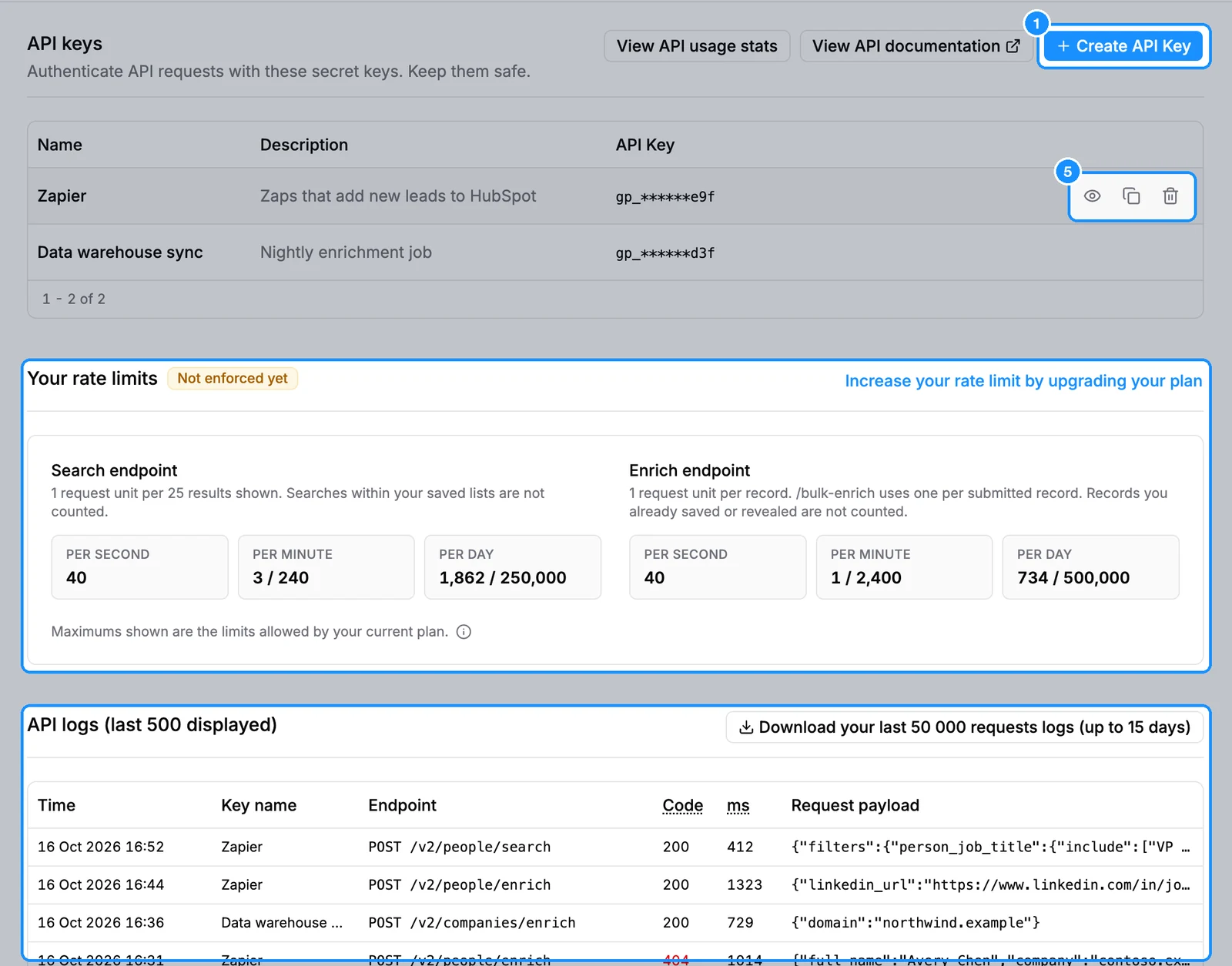
The API page in the sidebar holds your API keys, your rate limits and a log of the requests made with your keys. For the endpoints themselves, see the API docs.
Before you begin
- Any member can create keys. Each member can hold up to 5 keys per workspace.
- A key acts in the workspace where you created it and spends that workspace's credits.
Steps
Open API and click Create API Key.
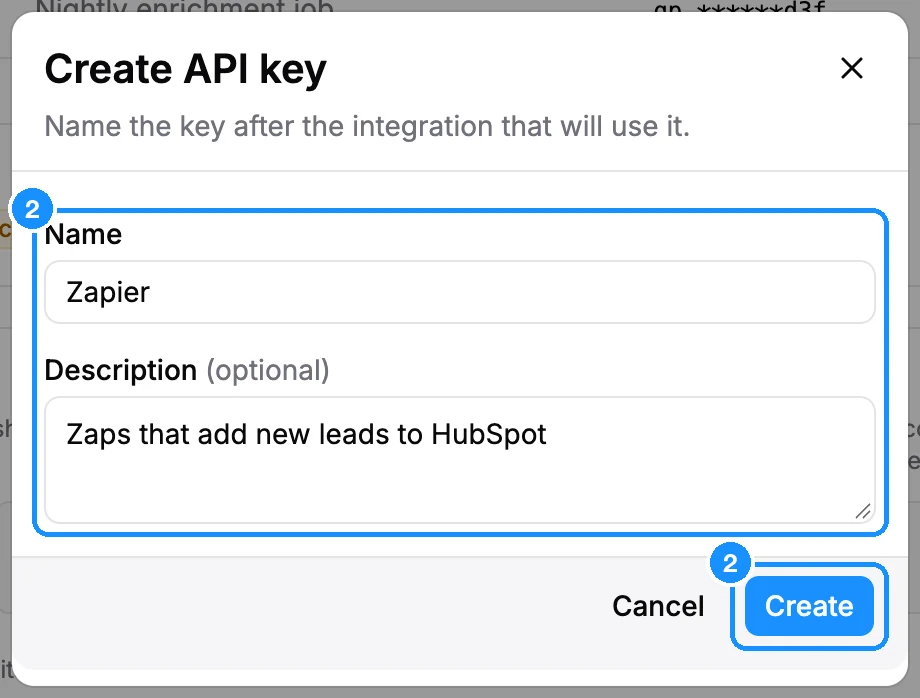
Enter a Name (up to 60 characters), ideally after the tool that will use it. Add a Description if you like, then click Create.
The API key created dialog shows the full key. Copy it, store it somewhere safe, and click Done.
Send the key in the
x-api-keyheader of every request tohttps://api.getprospect.com/v2/.... See Authentication.To see a key again, click the eye icon on its row (Show key) or the copy icon. To revoke it, click the delete icon and confirm.
What you get
- Your rate limits shows the Search endpoint and Enrich endpoint limits for your plan, per second, per minute and per day, with what you used today.
- API logs (last 500 displayed) lists recent requests: time, key name, endpoint, response code, response time and the request payload. Requests stay in the log for 15 days.
- Download your last 50 000 requests logs (up to 15 days) downloads the log as a file.
- View API usage stats opens Usage filtered to API spending.
Credit usage
| Creating keys, reading limits and logs | Free |
| API calls | The same as in the app: see each endpoint in the API docs |
FAQ
Why is Create API Key greyed out?
You already have 5 keys. Delete one to create another.
What happens when I delete a key?
Any tool using it stops working within 30 seconds, and webhooks created with that key stop too.
I get 401 Unauthorized.
Check that the full key is sent in the x-api-key header and that the key has not been deleted. A 404 instead usually means a wrong path: the base is https://api.getprospect.com/v2/, not /api/v2/.