

Table of content
The Usage page shows where your credits went: how many were spent on emails, mobiles and verifications, by whom, and from which feature. Open it from Usage in the sidebar.
Before you begin
- Any member can open Usage. Admins see the whole team; members see only their own spending.
- Usage shows spending. For what you have left, use the credits button in the top bar.
Steps
Open Usage in the sidebar. Four tiles sum up the selected period: Spent on emails, Spent on mobiles, Spent on email verifications and Total credits spent.
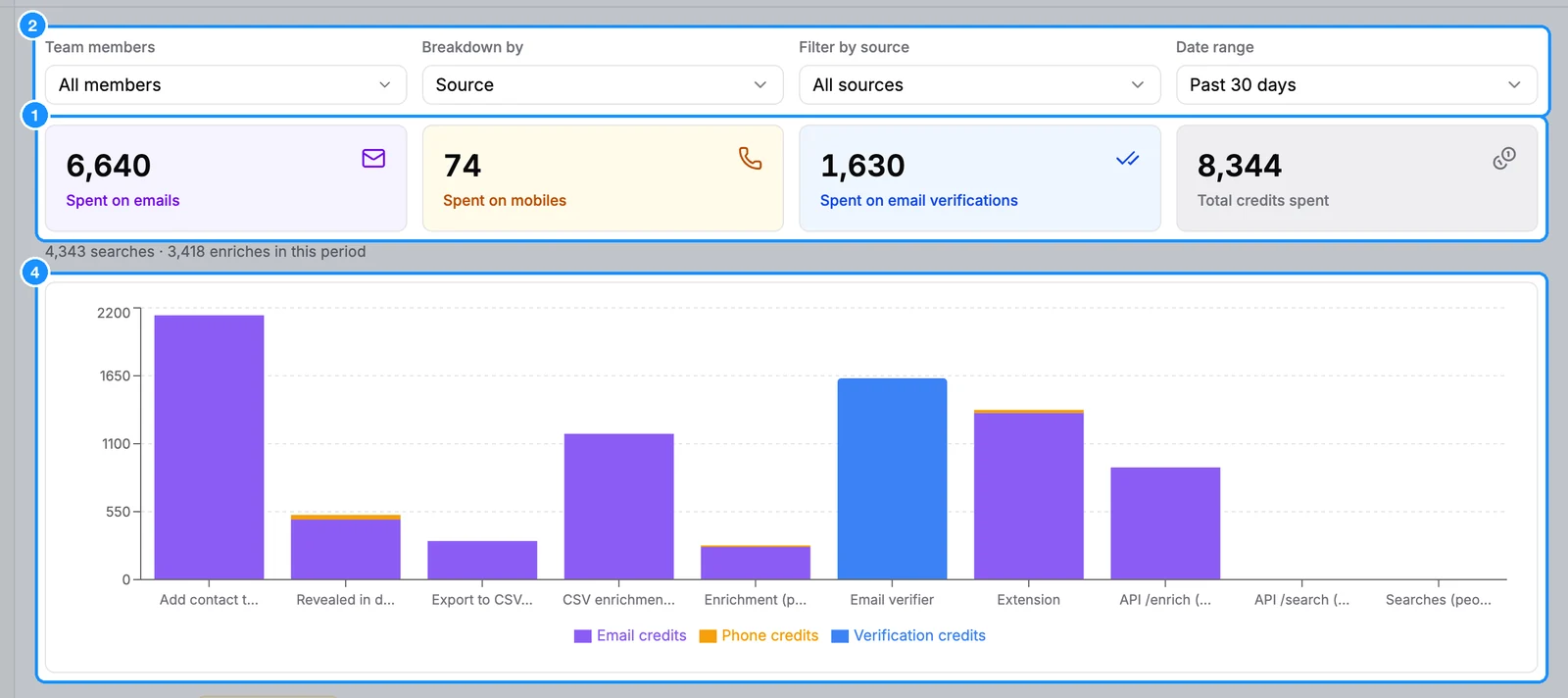
Narrow it down with the filters:
- Team members: All members, Me, or any teammates you tick (admins only).
- Breakdown by: Source (one bar per feature) or Day (one bar per day).
- Filter by source: All sources, Add contact to list, Revealed in dashboard, Enrichment, Extension, API, Export to CSV, CSV enrichment, Email verifier or Searches.
- Date range: Current billing period, Past 7 days, Past 30 days (the default) or Past 60 days.
Read the chart. Each bar splits into Email credits, Phone credits and Verification credits.
Below the chart, the rate limits card shows your API limits and today's counters.
What the sources mean
- Add contact to list: saving people in the web app.
- Revealed in dashboard: Reveal email and Reveal mobile in the web app.
- Enrichment: lookups on the Enrichment page. File enrichment has its own source, CSV enrichment.
- Export to CSV: people exports, both CSV and Excel.
- Searches: searching is free, so this source shows no credits.
FAQ
Can I download my usage as a CSV?
No. The Usage page has no download. Your exports and their cost are listed on Exports.
How far back can I look?
Up to 60 days. Current billing period on a yearly plan shows the most recent part of the year only.
Why don't company saves appear?
Saving, enriching and exporting companies is free, so there is nothing to show.