

Table of content
Yes, GetProspect has an affiliate program. You earn 30% recurring commission on every payment made by customers you refer, and you can request a payout by PayPal, Wise or bank transfer once your balance reaches $50. Everything is in Settings > Affiliate. Current terms are on the affiliate program page.
Before you begin
- Any user can join. There is nothing to sign up for.
- Referrals have to be outside your own company or team. Neither of you may sign in to the other's account.
- People who sign up through your link or apply your coupon get 100 email credits and 200 verification credits, once.
Share your link
Open Settings > Affiliate. The Your link tab opens.
Click Copy next to Referral link and share it anywhere. For people who prefer typing, share your Coupon code instead.
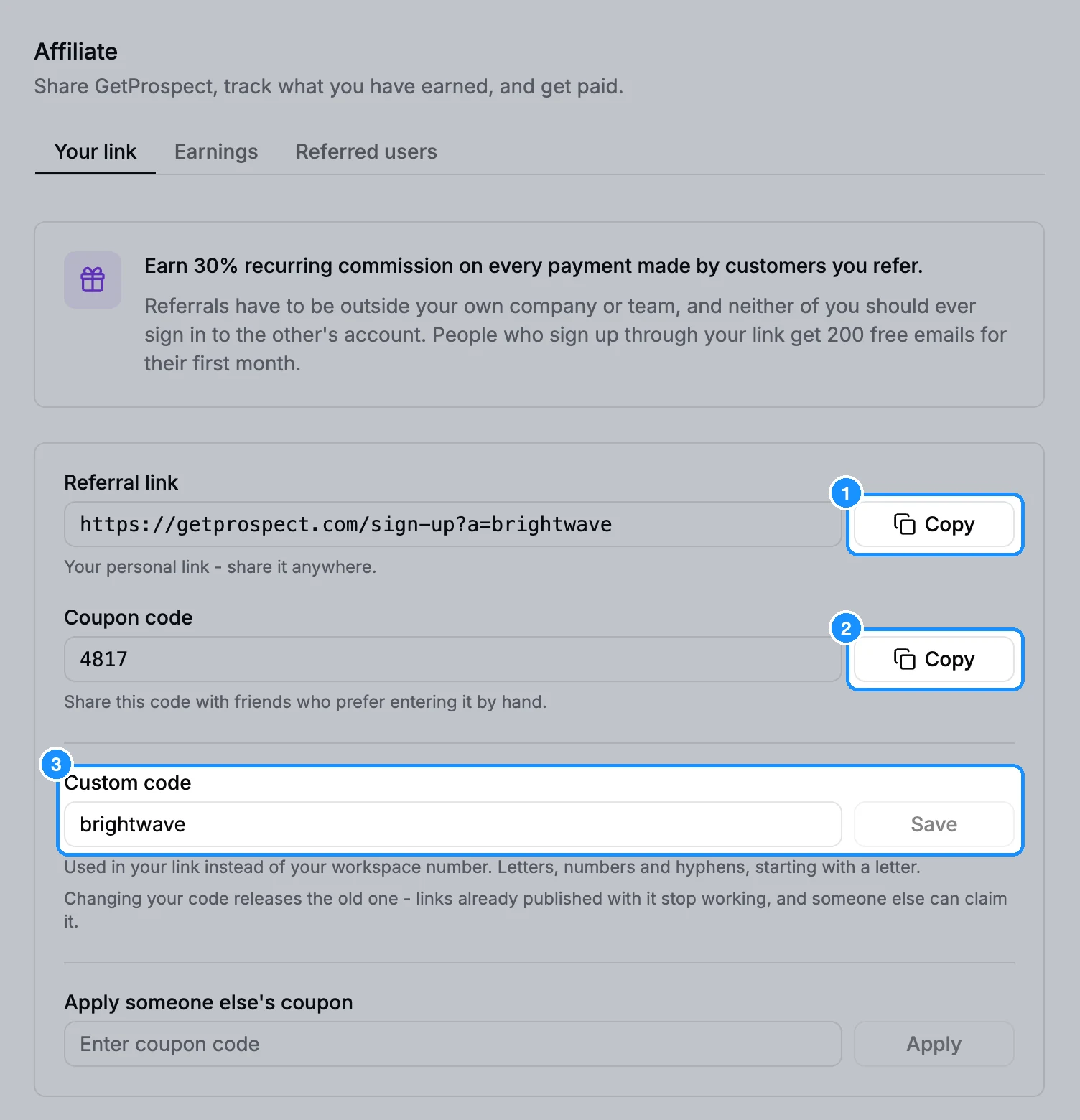
Optional: under Custom code, type a memorable code and click Save. It replaces your workspace number in the link. Use letters, numbers and hyphens, starting with a letter. Changing it later releases the old code, and links that use it stop working.
Track referrals and earnings
- Referred users tab: everyone who signed up through you, with Source, Earned and Status. Not eligible means the referral does not qualify for commission, for example because they are on your own team.
- Earnings tab: Available balance, Earned, Paid out and Referred users, plus a Commission statement with every Commission, Refund and Payout. When a referred customer's payment is refunded, its commission is taken back and shows as Refund.
Get paid
Open the Earnings tab.
Under Payout details, choose a Payout method (PayPal, Wise or Bank transfer). Fill in Payee name, Account (PayPal email, Wise email or IBAN) and Country (two letters, for example US). Click Save payout details.
When your available balance is $50 or more, click Request payout under Request a payout.
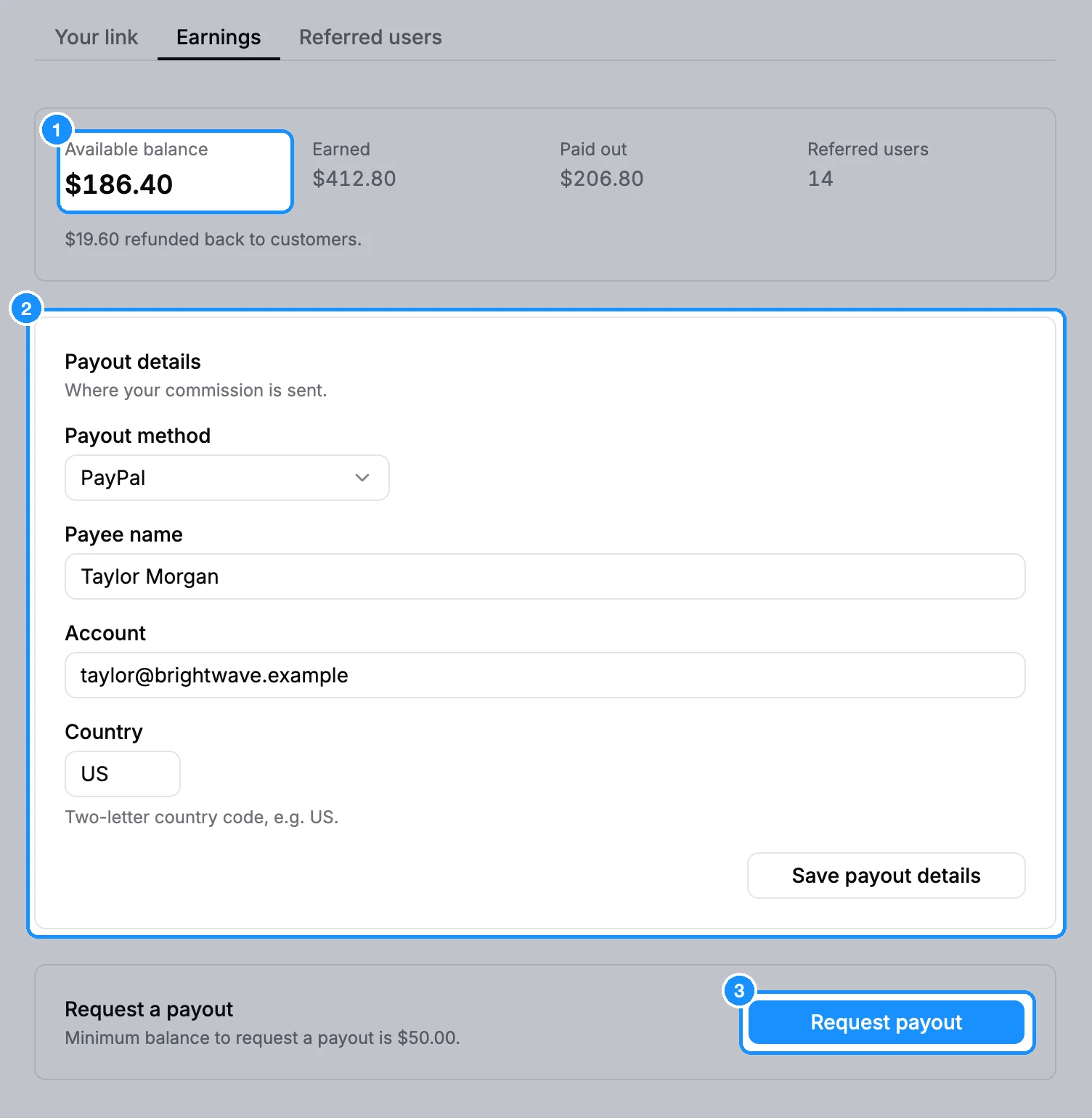
The button changes to Payout request pending while we review it. You can have one request open at a time.
FAQ
Someone gave me their coupon. Where do I enter it?
In Settings > Affiliate > Your link, type it under Apply someone else's coupon and click Apply. It works only before your workspace's first payment, and only if you did not already sign up through someone's link.
Can I use my balance to pay for my own plan?
Not from the app. Commission is paid out to you by PayPal, Wise or bank transfer.