

Table of content
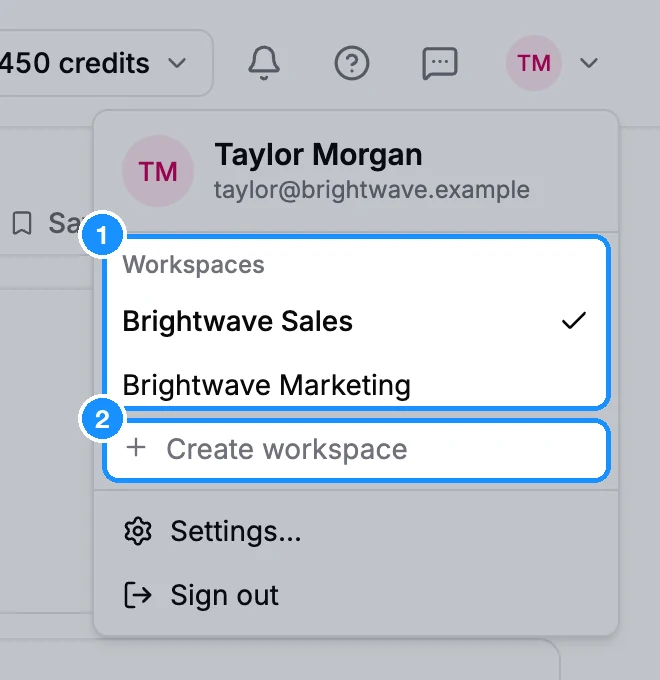
A workspace keeps one team's or one client's work separate: its own plan and credits, billing details, lists, saved people and companies, and teammates. You can have as many workspaces as you need. Create and switch them from the account menu at the top right of the app.
Before you begin
- Anyone can create a workspace and becomes its admin.
- Only the workspace admin can rename or delete it.
- Credits: a new workspace starts with no credits. The free plan's monthly credits apply only to your first workspace. Buy a plan for the new one in Settings > Subscription.
Create a workspace
Click your avatar at the top right of the app.
Under Workspaces, click Create workspace.
Type a Name and click Create. You see "Workspace created".
To open it, click its name in the Workspaces list.
Switch workspaces
Click your avatar and pick a workspace under Workspaces. The current one has a check mark. In Settings, you can also switch from the workspace name at the top of the settings menu.
Each workspace has its own web address (app.getprospect.com/<workspace number>/people), so you can keep two workspaces open in two tabs. A link to a workspace you are not a member of shows "You don't have access to this workspace". Ask its admin to invite you.
Rename a workspace
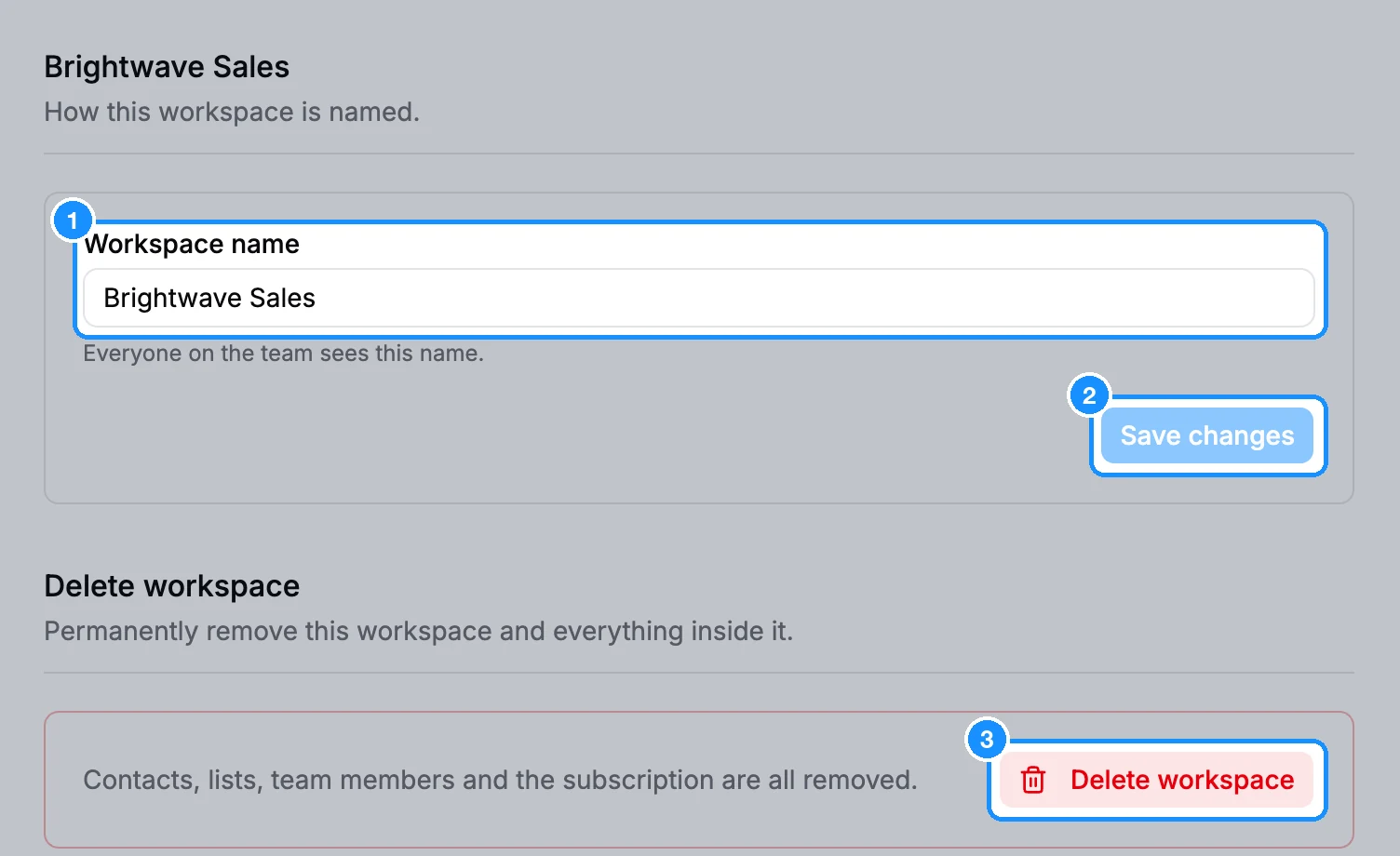
Open Settings > Workspace.
Edit Workspace name and click Save changes. Everyone on the team sees the new name.
Delete a workspace
- Switch to the workspace you want to delete and open Settings > Workspace.
- Under Delete workspace, click Delete workspace.
- Type the workspace name to confirm and click Delete workspace.
This removes the workspace for every member, with its people, companies, lists, team members and subscription. It can't be undone. Your only workspace can't be deleted ("This is your only workspace, so it cannot be deleted.").
FAQ
My dashboard is empty after a teammate invited me. Where is our data?
You are probably in your own workspace. Click your avatar and pick the team's workspace under Workspaces.
Is the same person saved in two workspaces counted twice?
Yes. Lists, saved people and owned emails belong to one workspace, so saving the same person in another workspace costs credits there too.