

Table of content
Connect Zoho CRM once, and every person or company you save in GetProspect is created in Zoho CRM. Set it up from Integrations. The rules shared by all CRMs are in How CRM sync works.
Before you begin
- You must be the workspace admin.
- You need a Zoho CRM user that can create contacts and accounts.
- Credits: syncing is free.
Steps
Open Integrations and click Connect on the Zoho CRM card. Sign in to Zoho and allow access. The card then shows Connected.
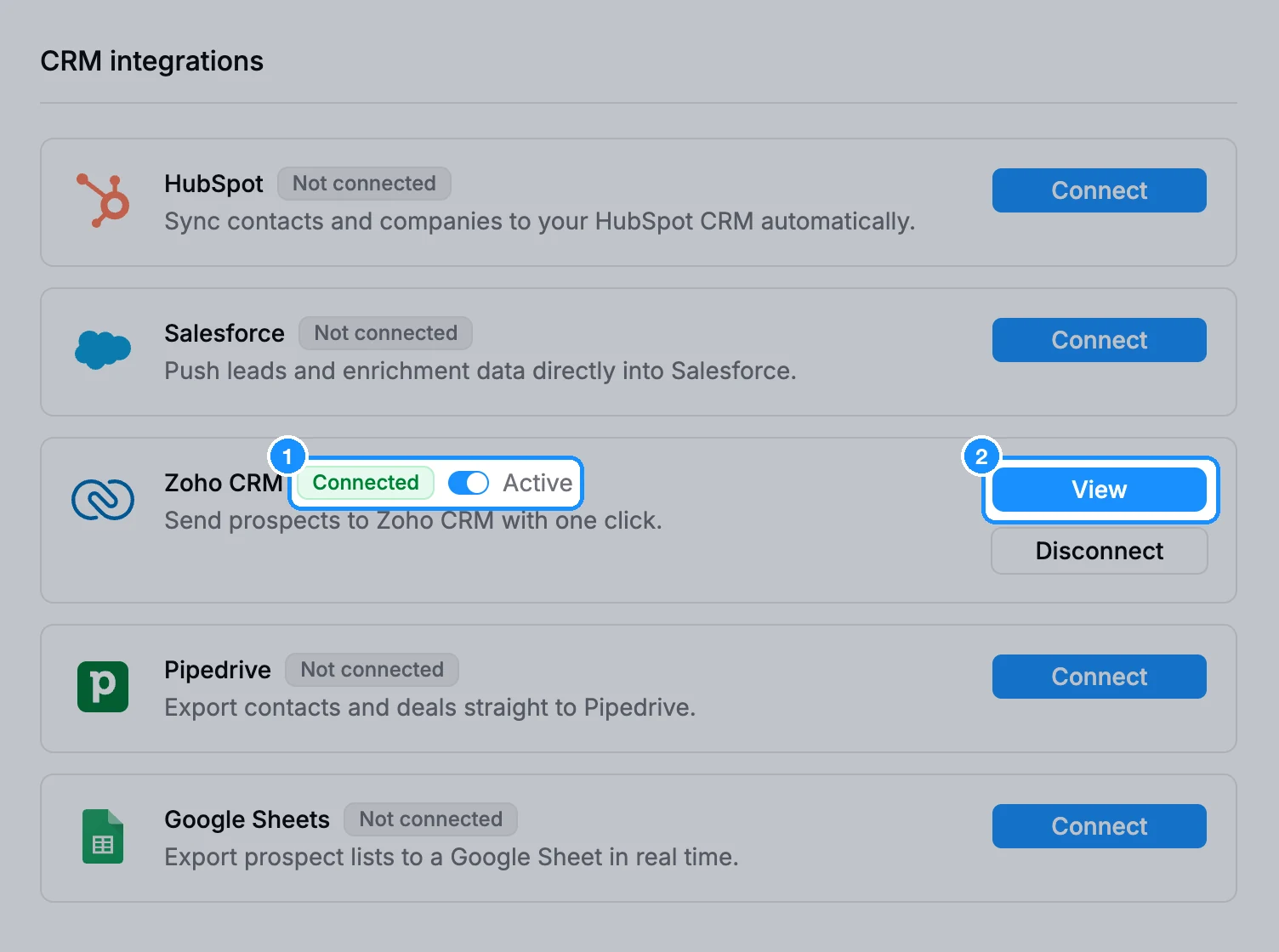
Click View to open Zoho CRM settings.
Under Synchronization, choose whether to Update data on Zoho CRM when they are changed on GetProspect and Delete data on Zoho CRM when they are deleted on GetProspect.
Under Owner, pick the Zoho user who owns new records, or No owner.
In Map contact properties and Map company properties, pick a Zoho field for each GetProspect field, or Do not match. The company name row always maps to the account name.
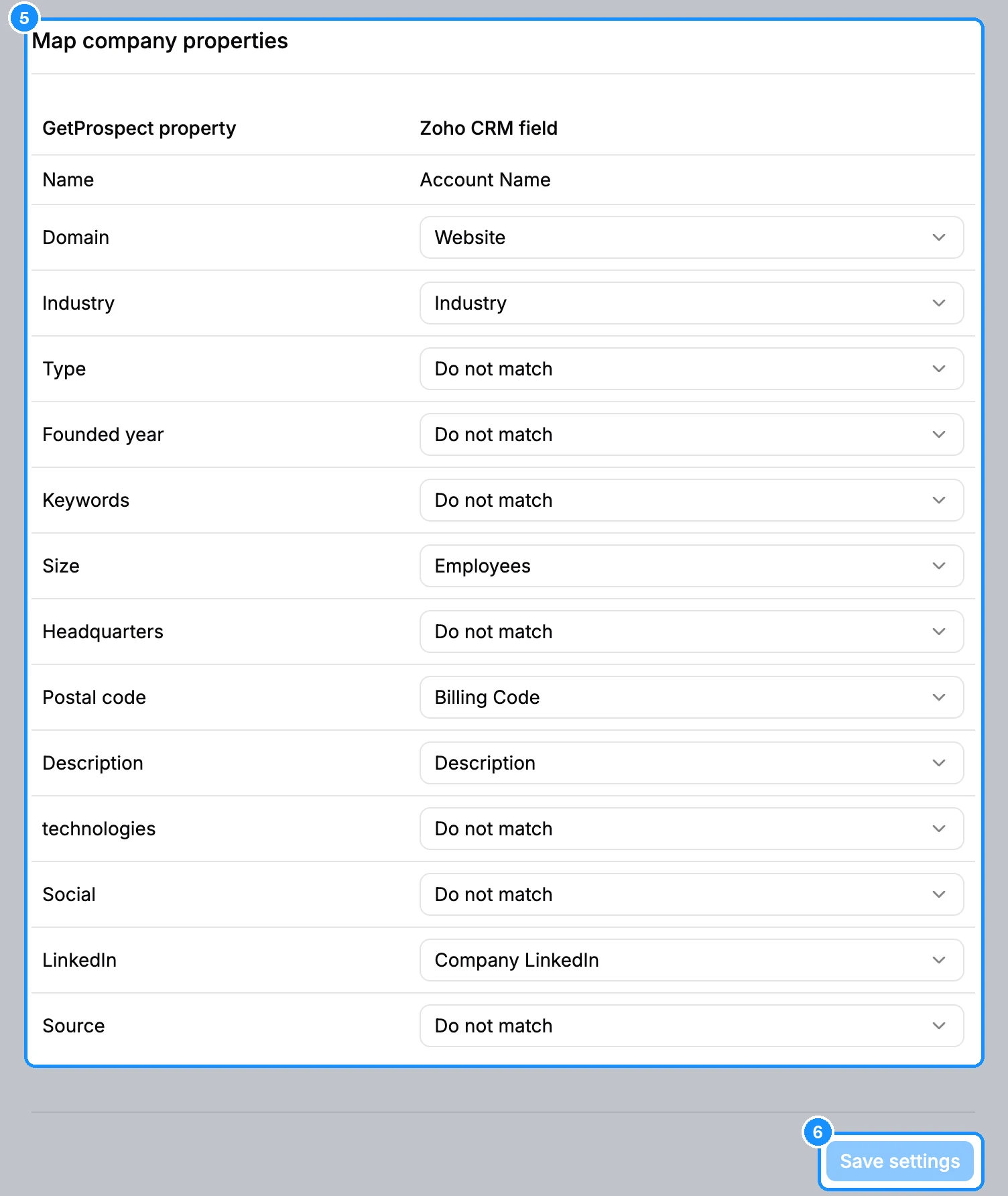
Click Save settings.
Optional: click Push all GetProspect data to Zoho CRM, then Push now, to send records saved before you connected.
What you get
Saved people become Zoho contacts and saved companies become Zoho accounts. Once the email, first name and last name rows are mapped and saved, they stay locked to those fields.
FAQ
I added a field in Zoho CRM. How do I map it?
Click Refresh Zoho CRM fields under Actions, after saving any open changes.
Why can't I map a field to a Zoho field?
Only compatible types are offered. A text field in GetProspect maps to text, phone or website fields in Zoho; numbers and dates also map to Zoho number and date fields.