

Table of content
Mobile numbers cost phone credits, and only when a number is found. Reveal one person's number with Reveal mobile, or get numbers for a whole list with Enrich mobiles.
Before you begin
- Any member of the workspace can reveal mobiles.
- Credits: 1 phone credit per number found. Every plan includes 5 free phone credits. For more, see Phone credits.
- Enrich mobiles works on people you saved: it is on list screens and on All saved people and Saved people without list, not on search results.
Steps: reveal one mobile number
In People or a list, click Reveal mobile in the Mobile column. Or open the person and click Reveal mobile in the panel.
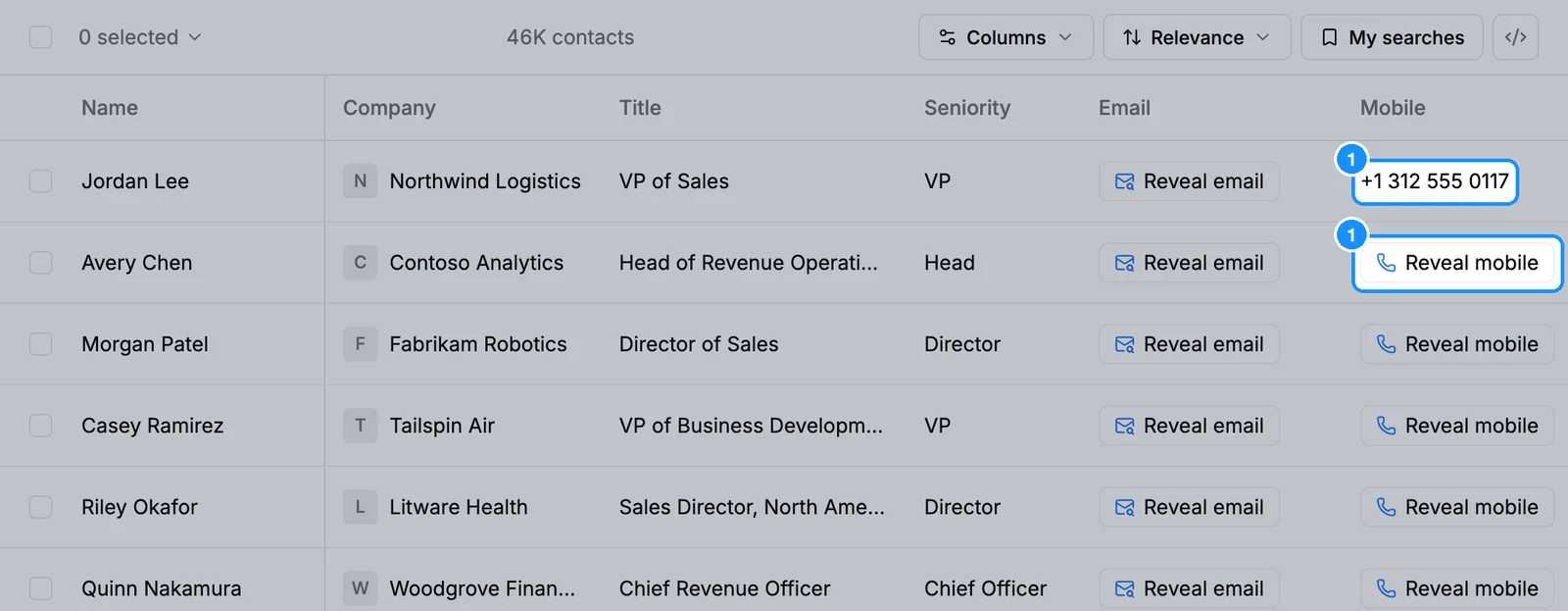
The number appears in the cell. If we have none, you see No mobile and nothing is charged.
In the Chrome extension, open a LinkedIn or Sales Navigator profile and click Reveal mobile under Contact details.
Steps: enrich mobiles in bulk
Open Lists and click a people list, or All saved people.
Tick the people you want. To pick more than one page, click the checkbox at the top of the table and choose Select all people or Select number of people, then Apply. You can enrich up to 25,000 people at once.
Click Enrich mobiles. The popover says how many people it will enrich: 1 phone credit per number found, and numbers you already revealed are free. Click Confirm.
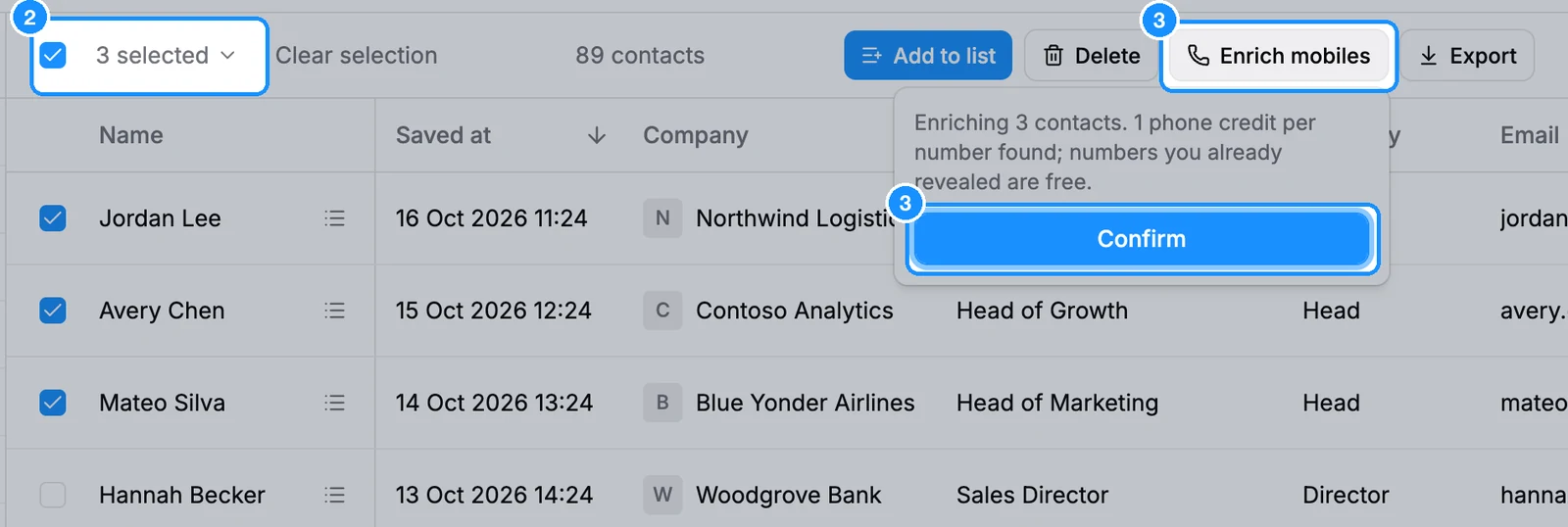
A selection from one page finishes in seconds and the numbers fill the Mobile column. A larger selection runs in the background; numbers appear as they are found, and you get a notification when it finishes.
What you get
- Numbers appear in the Mobile column, in the person panel and in exports.
- People who already have a revealed number are skipped, so they cost nothing.
- One bulk run per workspace at a time. Wait for it to finish before you start another.
- If your phone credits run out, the run stops. Top up and run it again: numbers already found are not charged again.
To see only people with a number, use the Contact Details filter > Mobile: found.
Before you call or text
Calling or texting mobile numbers is regulated in many countries (for example TCPA in the US, PECR in the UK). Check the rules first. This is general information, not legal advice.
Credit usage
| Reveal mobile or Enrich mobiles, number found | 1 phone credit |
| No number found | Free |
| A number you already revealed | Free |
| Mobiles in an export | Never charged on export |
FAQ
If you don't find a number, is my phone credit still used?
No. You pay only when a number is found.
Why does Reveal mobile show for people who have no number?
We only know after looking it up. When the lookup finds nothing, the cell shows No mobile and you are not charged.
I can't see Enrich mobiles.
It appears after you tick people on a list screen or a saved-people view. In People search, save the people to a list first.