

Table of content
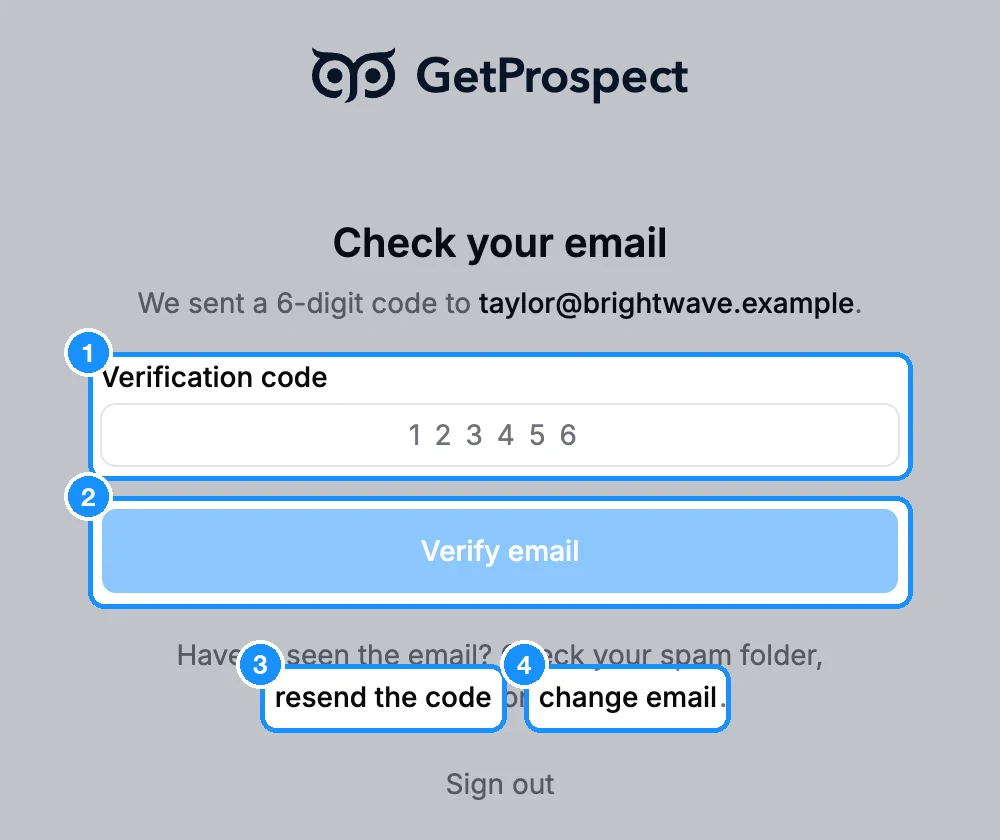
After you create an account, GetProspect emails you a 6-digit code. The Check your email page waits for it. The same email also has a confirmation link, so you can use either one.
Enter the code
Open the email from GetProspect and copy the 6-digit code.
Type it in Verification code and click Verify email.
If you open the link in the email instead, this page moves on by itself.
If the email doesn't arrive
Check your spam and promotions folders. Some company mail servers also hold mail from a new sender for several minutes before delivering it.
Check the address. The page shows where the code went: "We sent a 6-digit code to ...".
Click resend the code. You see "Verification email resent." A new code replaces the old one.
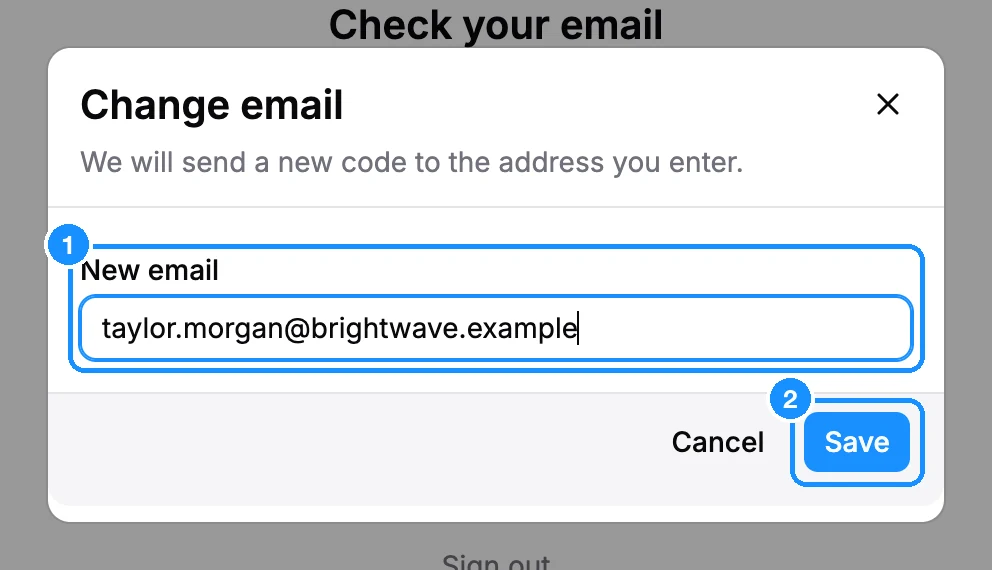
Click change email if the address is wrong. In the Change email dialog, type the right address in New email and click Save. A new code goes to that address.
Messages you may see
| "Invalid or expired code. Please try again." | Codes expire after 10 minutes. Click resend the code and use the newest one. |
| "Could not resend code. Please try again." | Wait a few minutes, then try again. |
| "Your verification link has expired." (on the sign-in page) | Sign in, then click resend the code on the page that opens. |
Still nothing after an hour? Write to or use the chat on getprospect.com. Tell us the address you signed up with, and we will help you.