

Your invoices are in Settings > Billing, in the Invoices table. Only the workspace admin can see them.
Open Settings > Billing and scroll to Invoices.
Click a row with the status Paid, or its download icon, to open the invoice as a PDF.
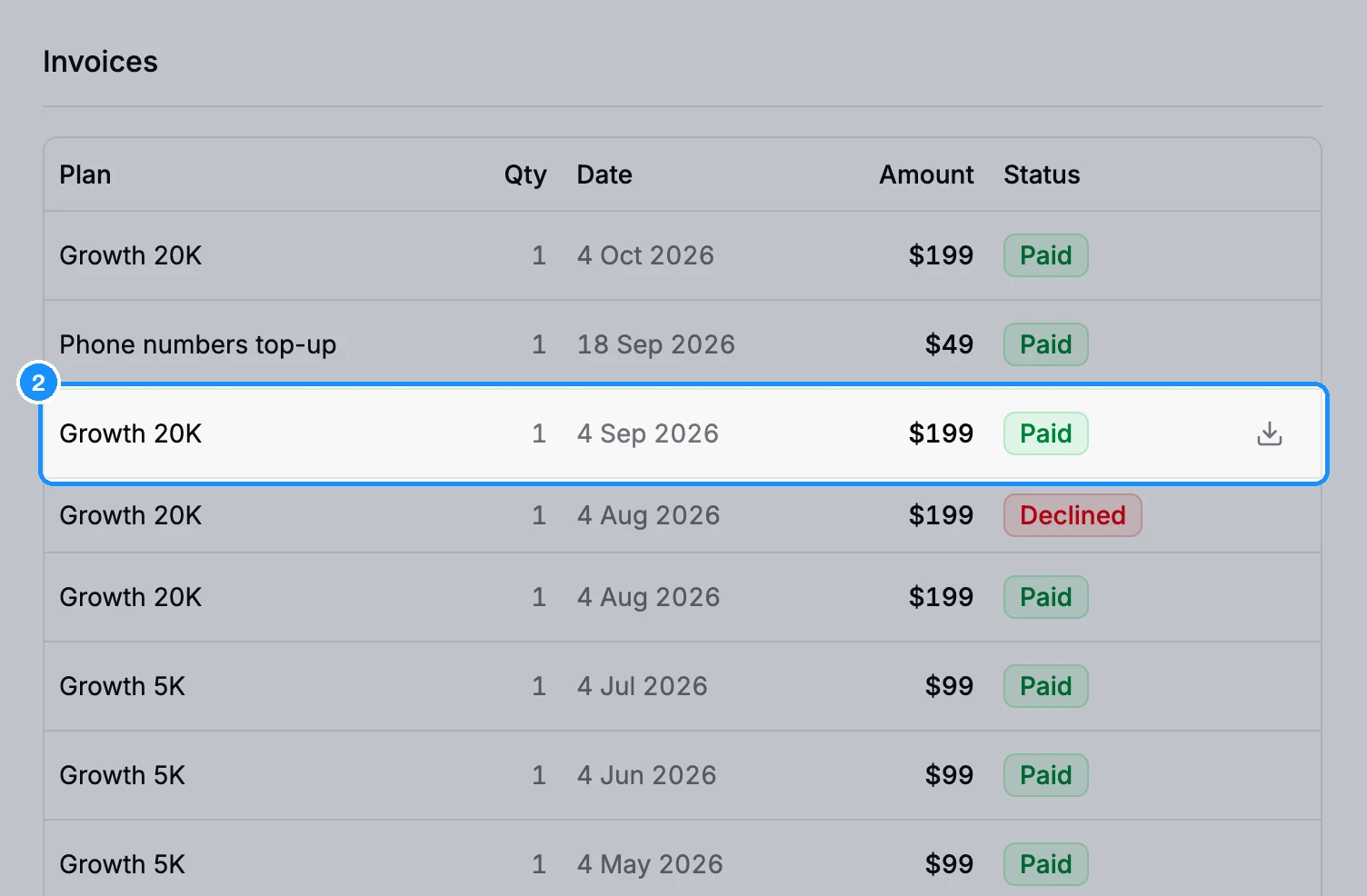
The table shows each payment's plan, quantity, date, amount with tax, and status: Paid, Declined, Reversed or Pending. Only paid invoices have a PDF.
Invoices are also emailed to your billing email. To change it, see Payment methods and billing details.
If your subscription is billed through FastSpring, your receipts are in your FastSpring account: click Manage billing on Settings > Subscription.
Need an invoice re-sent or a refund receipt? Contact support through chat.