

Sales tax, such as VAT or GST, is calculated by Stripe from your billing address and the rules of your country or state. You always see it before you pay.
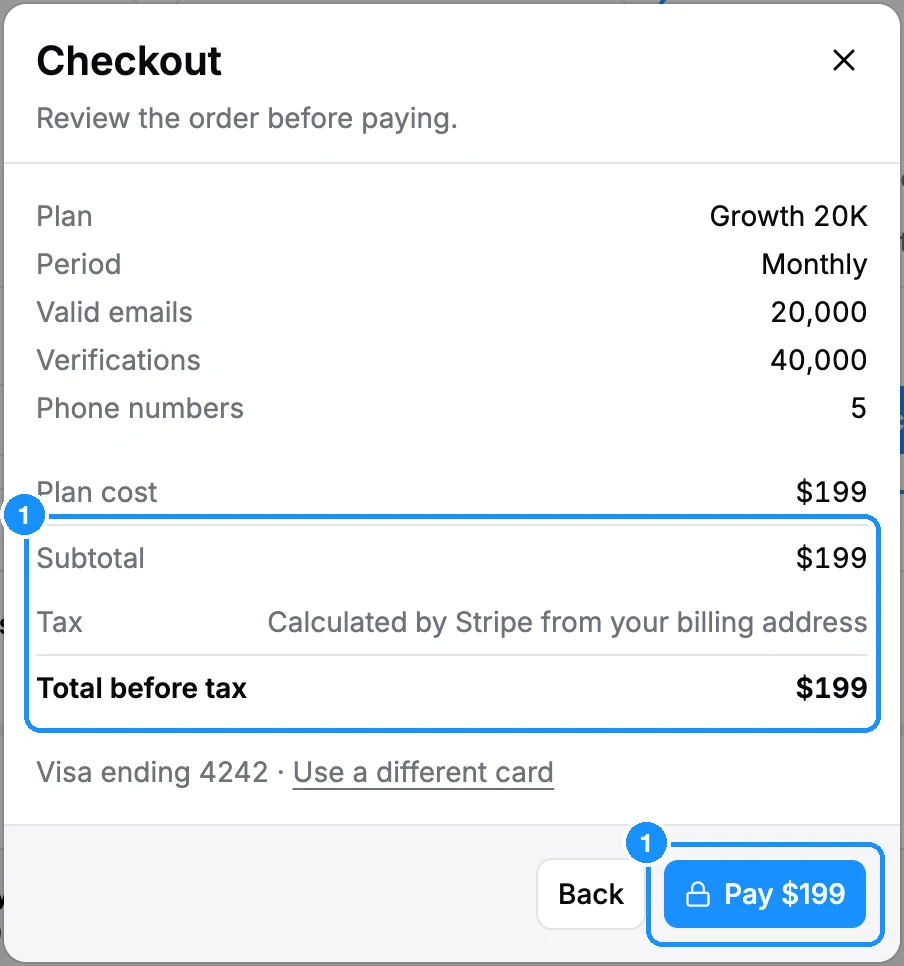
- In the Checkout dialog, the Tax line shows the amount, and the Pay button shows the total with tax. Before Stripe knows your address, the line says "Calculated by Stripe from your billing address".
- On Settings > Subscription, the Price row shows your plan price followed by the tax rate, such as "+ 21% tax".
- Each invoice in Settings > Billing > Invoices shows the amount with tax.
Company tax ID. You can add your VAT or GST ID on Stripe's checkout page at your first payment, or later in the Stripe billing portal (Settings > Billing > Payment method > Change). Stripe applies the rules that fit your country and tax ID.
Tax rules change, so the amount can differ from one payment to the next. If your subscription is billed through FastSpring, FastSpring calculates the tax instead.