

Table of content
Email verifier checks whether email addresses exist before you send to them. Bulk verify takes a file or a pasted list; Single verify checks one address.
Before you begin
- Any member of the workspace can verify emails.
- Credits: verification credits, separate from email credits. Free gives 100 a month; more come with your plan or as a one-time top-up.
- Files: CSV, TXT, TSV or Excel, up to 1,000,000 emails and 150 MB. Pasted lists: up to 50,000 entries.
Steps: verify in bulk
Open Email verifier and click New bulk.
Choose Upload file and drop your file, or Paste emails and paste one address per line, then click Continue.
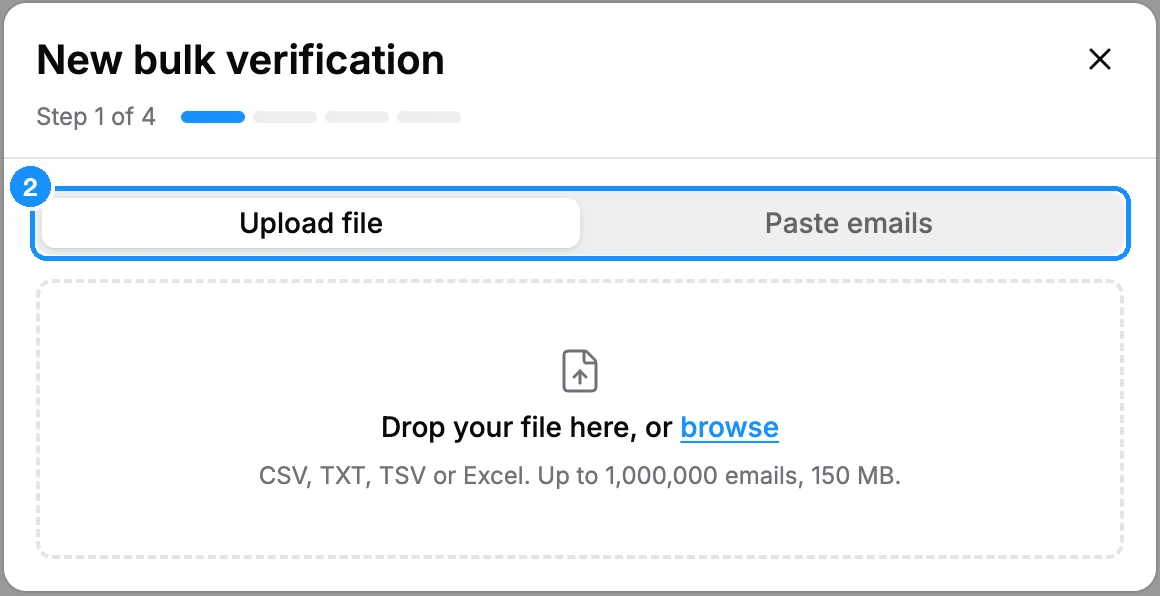
If your file has more than one column with emails, pick the one to check on Choose the email column and click Continue.
Wait while we analyse the list. On Review and verify you see Total rows, To verify, Duplicates and Invalid syntax. Duplicates are checked once, and badly formed addresses are never sent; neither costs a credit.
Check Cost: N verification credits and click Verify N emails.
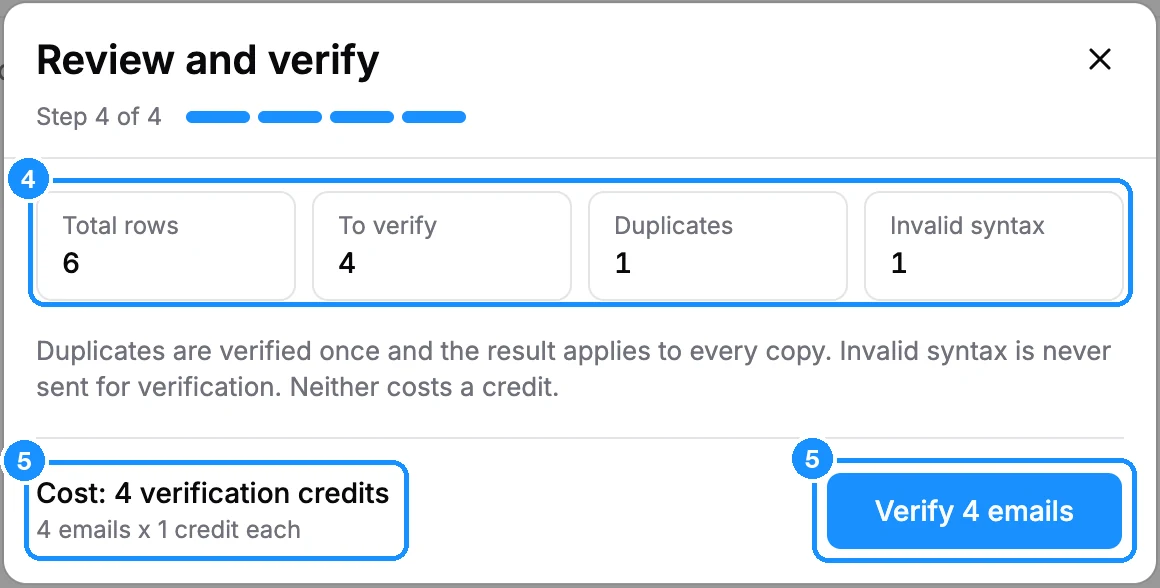
If you do not have enough credits, click Top up your credits. A workspace admin can buy the missing verification credits right there; once the payment goes through, the job starts by itself. Otherwise the link opens the Plans page.
Steps: verify one email
Open Single verify.
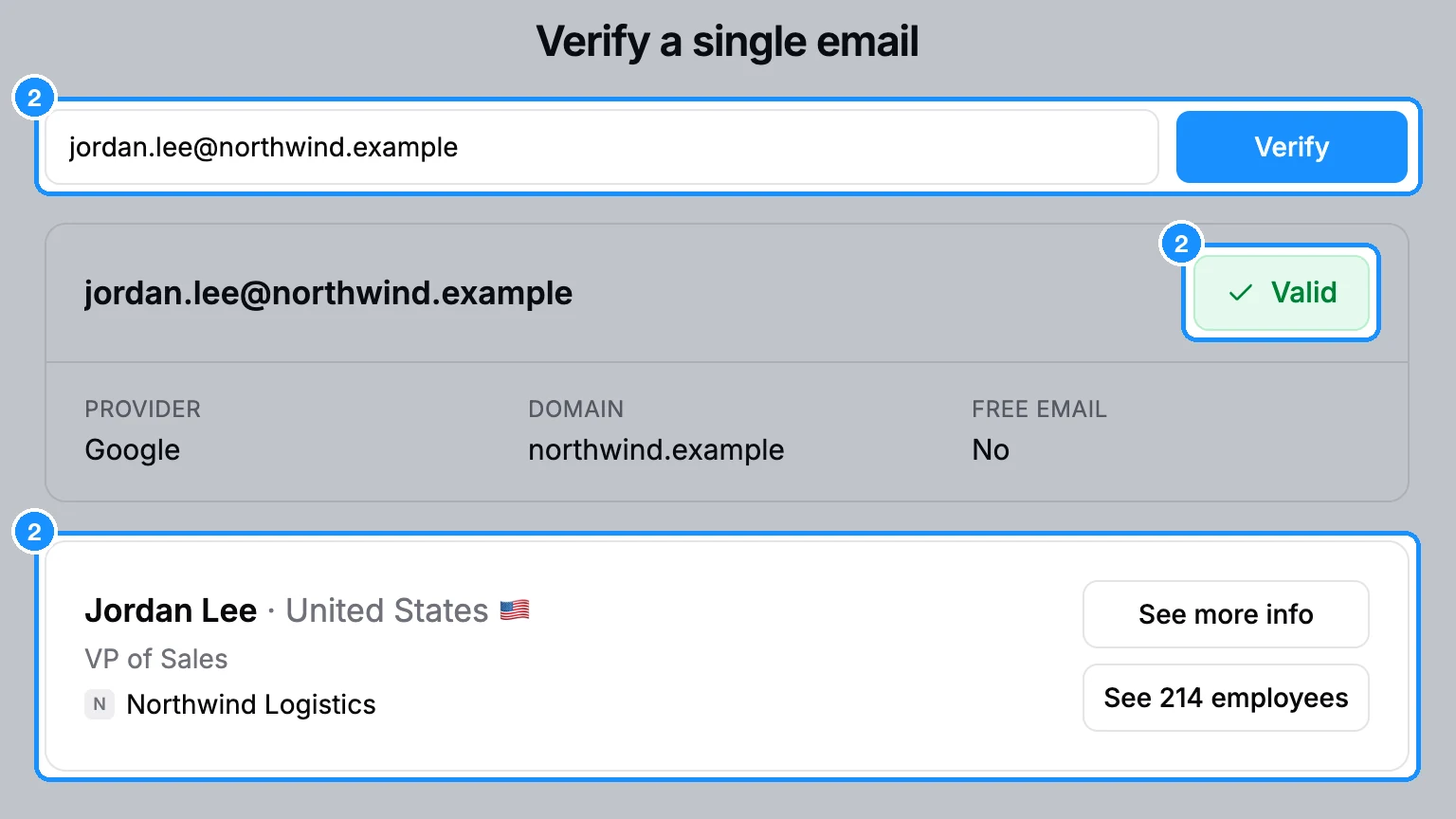
Under Verify a single email, enter the address and click Verify.
What you get
Bulk: each job is a row with the number and share of Valid, Invalid, Accept-all and Unknown results, and a Status. When it shows Completed, use the download action to get All emails, Valid emails or Invalid emails. Each file is your file with Email status, Email provider, Email domain and Free email columns added. Files are kept for 30 days, then the row shows Files expired.
Single: the verdict, plus the email Provider, Domain and whether it is a Free email. If the address belongs to someone in our database, their card appears with See more info; otherwise you may see the company with a button to see its employees. Click Show verification history for last 30 days for your workspace's single checks, and Download to save them.
What each verdict means: Email verification statuses.
Credit usage
| Single check with a Valid or Invalid verdict | 1 verification credit |
| Single check with an Accept-all or Unknown verdict | Free |
| Bulk, each unique well-formed address | 1 verification credit, charged at start whatever the verdict |
| Bulk duplicates and invalid syntax | Free |
| Cancelled or failed bulk job | Credits for rows not verified are refunded |
FAQ
Can I verify the emails in a list or search directly?
Not from the list. Export it, then upload the file under New bulk.
Do I need to verify emails GetProspect found for me?
No. They are verified before you get them. See Are GetProspect emails verified?
I'm out of verification credits but have email credits. Can I use those?
No, the two balances are separate. Buy verification packs under Extra credits; see Ran out of credits?