

Table of content
Connect Google Sheets and every person you save in GetProspect is added as a row in a spreadsheet you choose. Set it up from Integrations. The shared rules are in How CRM sync works. Looking for the add-on that finds emails inside a sheet? See Google Sheets add-on.
Before you begin
- You must be the workspace admin.
- Prepare a spreadsheet with a header row (column names in row 1). GetProspect maps fields to those columns.
- Credits: syncing is free.
Steps
Open Integrations and click Connect on the Google Sheets card. Choose your Google account and allow access to both Google Drive and Google Sheets.
Click View on the card to open Google Sheets settings.
Under Spreadsheet, click Select spreadsheet and pick the file in the Google window. Then choose the tab under Worksheet.
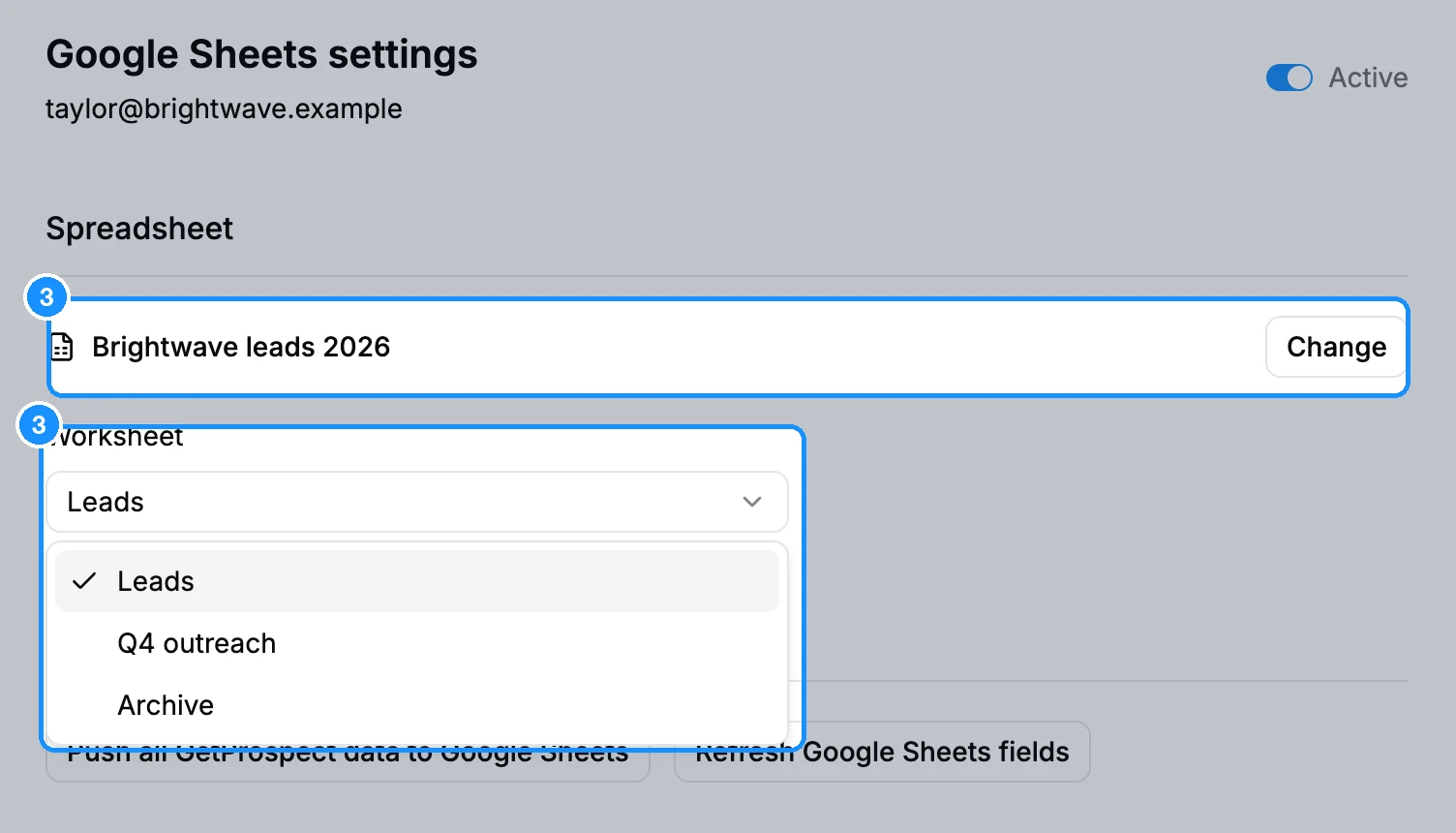
Click Refresh Google Sheets fields under Actions to read the worksheet's header row.
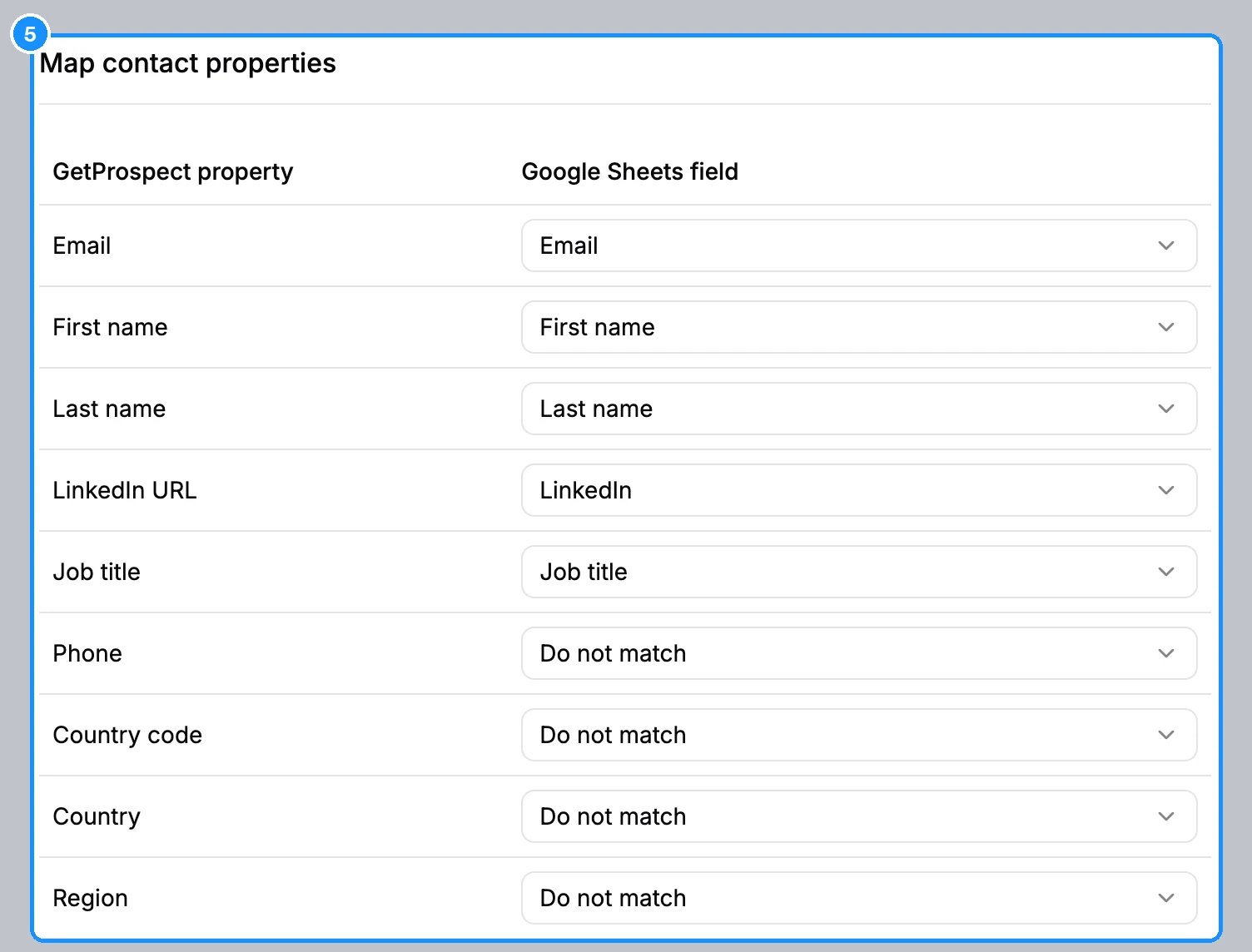
In Map contact properties and Map company properties, pick a column for each GetProspect field you want, or Do not match. Each column can be used only once across the two tables.
Click Save settings, then turn on the switch next to the title so it shows Active.
Optional: click Push all GetProspect data to Google Sheets, then Push now, to add people saved before you connected.
What you get
Each new save adds one row to the worksheet. Google Sheets has no Synchronization or Owner section: rows are only added, never updated or deleted, and the push adds a row only for people not exported to the sheet yet.
FAQ
The switch will not turn on.
Select a spreadsheet and a worksheet, and map at least one column first. The worksheet needs a header row; click Refresh Google Sheets fields to read it.
Google Sheets was not connected: the required access was not granted.
On Google's consent screen, tick both the Drive and the Sheets permissions, then connect again.
What happens if I change the spreadsheet?
Clicking Change and picking another file pauses Google Sheets and clears the field mapping. Map the new columns and turn it back on.