

Table of content
Zapier connects GetProspect to thousands of apps without code. A Zap can start when you save a person or company, or use GetProspect to enrich, find emails and save people. You sign in with your GetProspect account; no API key is needed.
Before you begin
- Any member can connect Zapier. The Zap acts in the workspace you pick when you sign in.
- You need a Zapier account.
- Credits: triggers are free; some actions spend credits (see "Credit usage").
What GetProspect offers in Zapier
| Trigger | New Saved Person | A person is saved, optionally only into one list |
| Trigger | New Saved Company | A company is saved, optionally only into one list |
| Action | Enrich Person | Finds a person by LinkedIn URL, email, or name and company; can reveal the work email and a mobile |
| Action | Enrich Company | Finds a company by domain, LinkedIn URL or name |
| Action | Find Email | Finds a work email from name and company domain |
| Action | Save Person to List | Saves a person by ID or LinkedIn URL into one or more lists |
| Action | Save Company to List | Saves a company by ID or domain into lists |
| Action | Create List | Creates a people or company list |
| Action | Verify Email Address | Checks whether an address is deliverable |
| Search | Find Person | Looks a person up by LinkedIn URL, free |
| Search | Find List | Finds a list by its exact name |
The triggers fire for every save: web app, Chrome extension, CSV enrichment, API and other Zaps.
Steps: post each new person in a list to Slack
Open Integrations and click Open Zapier on the Zapier card. Sign in to Zapier and create a Zap.
For the trigger, choose GetProspect and New Saved Person. When asked to sign in, GetProspect opens a Connect Zapier to GetProspect page: pick the Workspace and click Connect app.
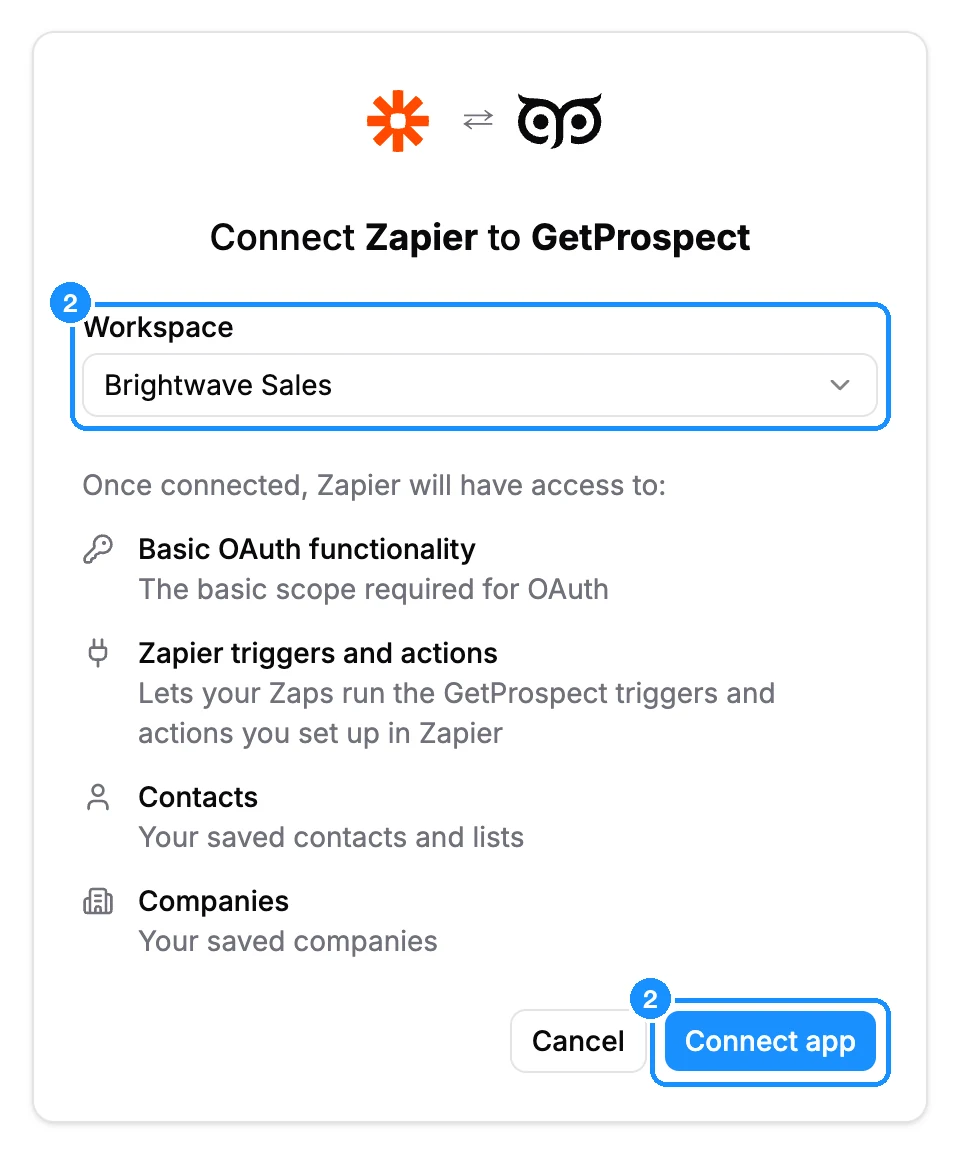
In List, pick the list to watch. Leave it empty to fire for every person saved in the workspace. Test the trigger.
Optional: add a Filter step that only continues when Email exists. People saved without an email have an empty Email field.
For the action, choose Slack and its send channel message event. Sign in to Slack and pick the channel.
Map the GetProspect fields into the message, for example First Name, Job Title, Company Name and Email.
Test the step and publish the Zap.
What you get
Zapier checks GetProspect for new saves on its own schedule and runs the Zap once per person.
Credit usage
| Triggers, Find Person, Find List, Create List, Enrich Company, Save Company to List | Free |
| Enrich Person with the work email | 1 email credit per new email revealed |
| Enrich Person with the mobile | 1 phone credit per number found |
| Find Email | 1 email credit per new email found |
| Save Person to List | 1 email credit per person whose email you do not own yet |
| Verify Email Address | 1 verification credit for a valid or invalid result; accept-all and unknown are free |
FAQ
My "New Contact" trigger no longer appears. What happened?
The old New Contact triggers are hidden from new Zaps. Existing Zaps keep running, but they only see data from the old version. Rebuild the Zap with New Saved Person.
Where do I paste my API key?
You do not. Zapier signs in with your GetProspect account.