

Table of content
You can correct a saved person's name, email and phone, and a saved company's name. Your edit replaces our data for your workspace only, costs nothing, and is marked Edited by your team.
Before you begin
- Any member can edit. Edits are shared with everyone in the workspace.
- The person or company must be saved in your workspace. For people you have not saved, see the FAQ.
- Credits: free.
Steps: edit a person
Open Lists, open a list or All saved people, and click the person's name to open the panel.
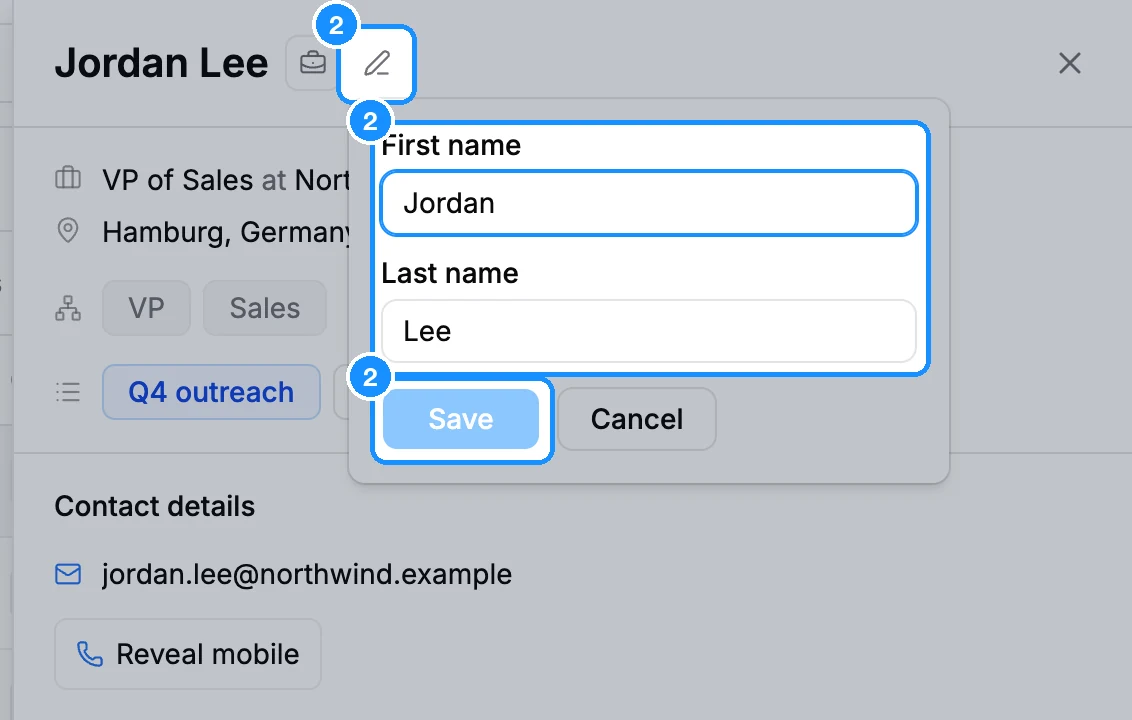
To fix the name, click the pencil next to it (Edit name), change First name or Last name, and click Save.
To fix the email, click the pencil on the email line (Edit email, or Add email when there is none), type the address and click Save.
To fix the phone, click Edit phone on the phone line and click Save. The pencil appears once a mobile was revealed or looked up.
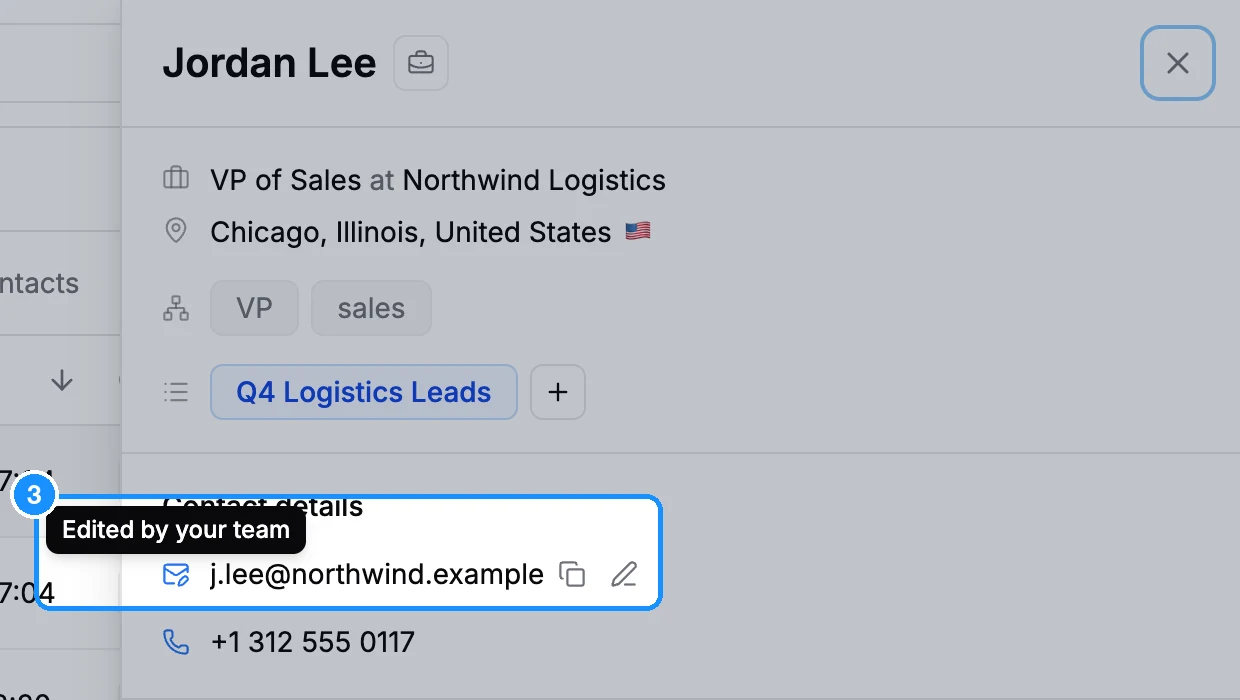
To go back to our data, open the same pencil, clear the field ("Leave empty to use our data") and click Save.
Steps: edit a company name
- Open a company list or All saved companies and click the company to open its panel.
- Click the pencil next to the name (Edit company name), type the new name and click Save.
What you get
- The edited value shows wherever the record appears in your workspace: tables, panels and the Chrome extension, with the tooltip Edited by your team.
- Exports and CRM sync use your edited values.
- Other workspaces still see our data.
- Edits stay with the record if it goes to Trash and you restore it.
You can also add or edit an email from the person card in the Chrome extension.
FAQ
Can I add an email for someone we found no email for?
Yes. When a person shows No email, click Add email. If they are not saved yet, pick a list in the same popover and the person is saved with your address.
Can I add a new contact by hand?
No. You can only edit people and companies that come from the database.