

Table of content
Deleted people, companies and lists go to Settings > Trash and stay there for 90 days. Restoring is free and puts records back into the lists they were in.
Before you begin
- Any member can restore. Trash is shared by the whole workspace.
- Credits: free. You don't pay again for emails and mobiles you revealed before the delete.
Steps
Open Settings > Trash and pick a tab: Leads, Companies or Lists.
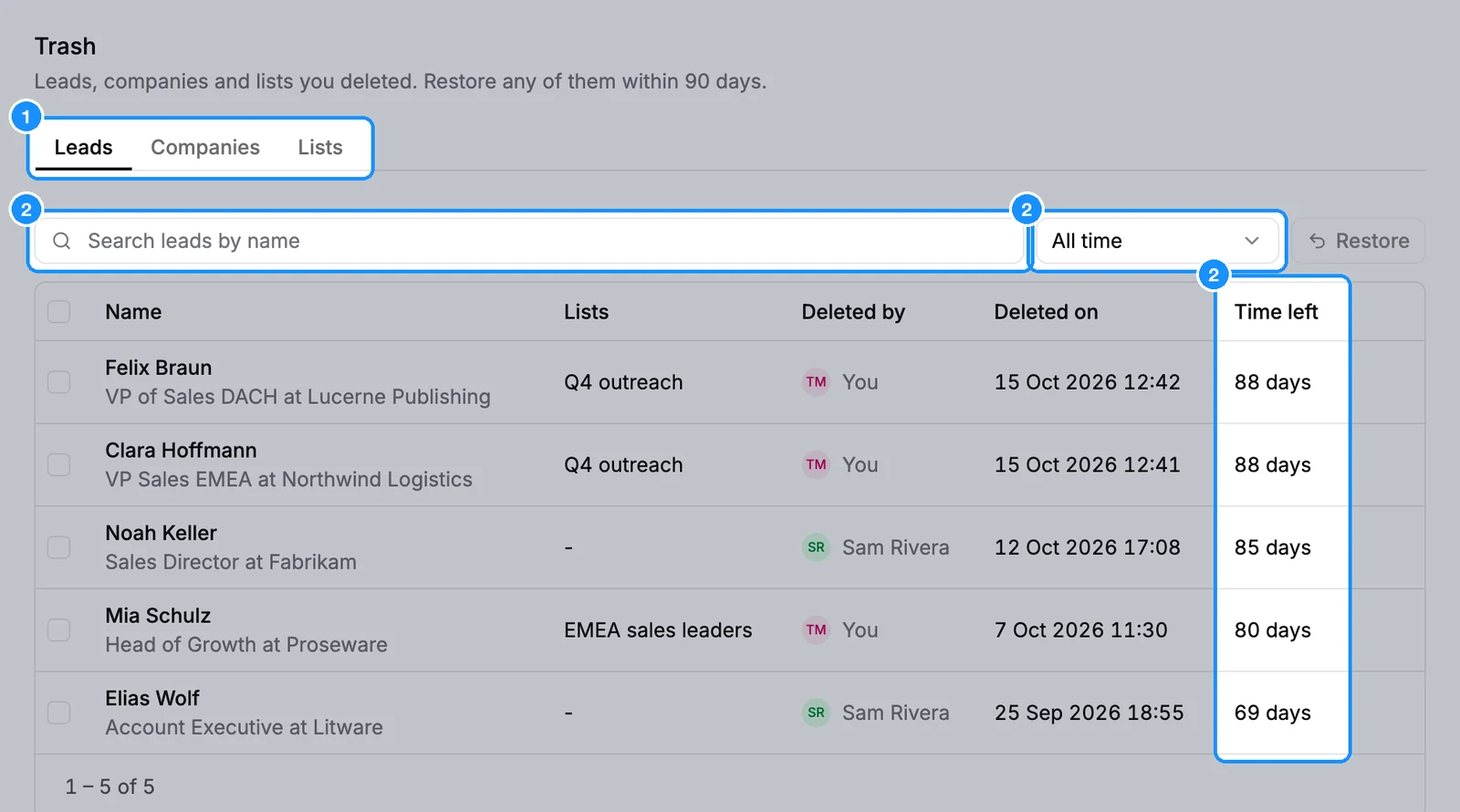
Find what you need: type in the search box, or set the date filter to Today, Last 7 days or Last 30 days. The Time left column shows how long each item stays.
Tick the rows to restore. To take everything that matches, tick the header checkbox, then click Select all N leads.
Click Restore N. To restore one item, hover its row and click the restore icon.
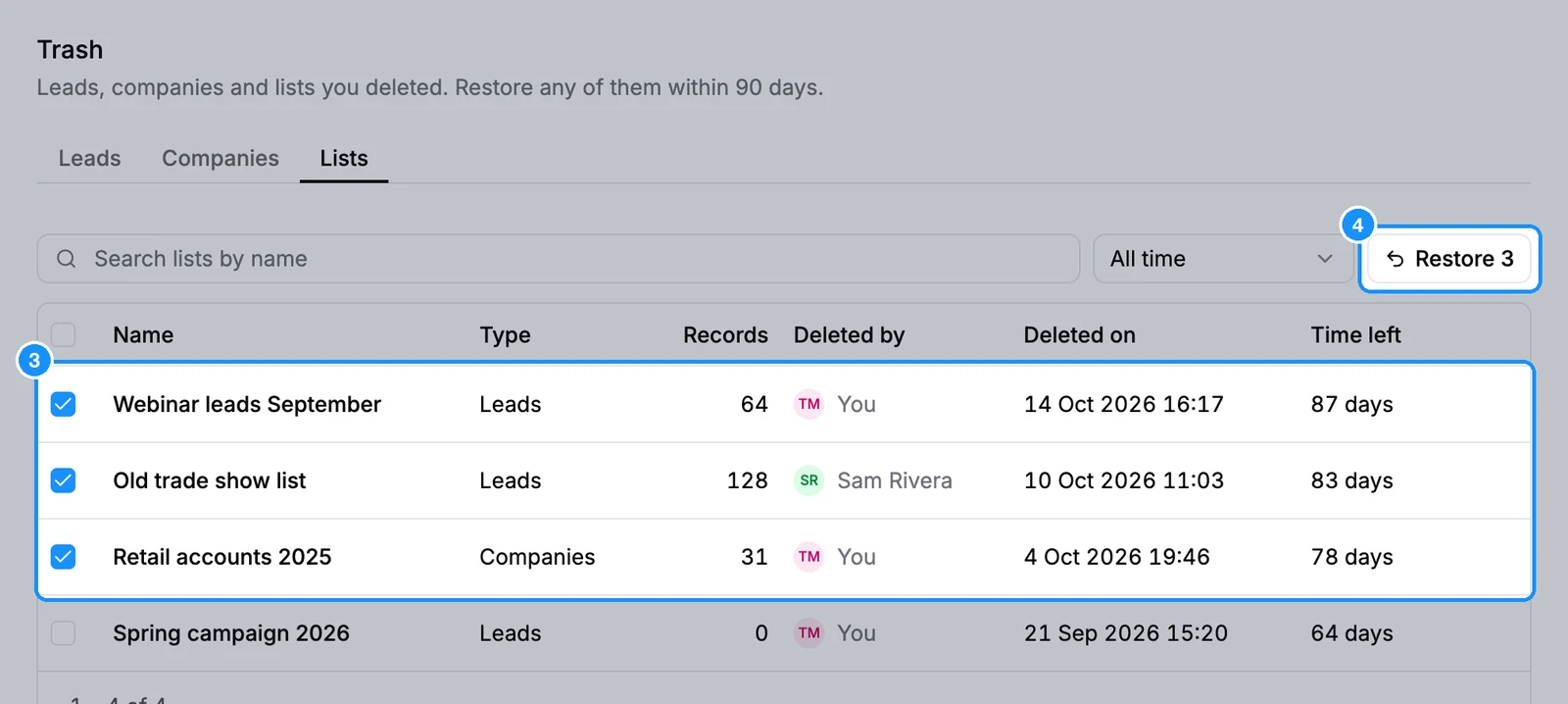
One click restores up to 25,000 items.
What you get
- Restored people and companies go back into the lists they were in, with any edits your team made.
- Restoring a list brings back the people or companies deleted with it, and puts back the members it had.
- If a person's list is also in Trash, restoring the person brings that list back too.
- After 90 days, items are deleted and cannot be restored.
Credit usage
| Restoring people, companies or lists | Free |
FAQ
How do I restore a deleted list?
Open the Lists tab in Trash, tick the list and click Restore. Its people come back with it.
I deleted a list but kept its people. Where are they?
Still saved. Find them in Lists > Saved people without list, unless they are in another list.
Can I restore something deleted more than 90 days ago?
No. Trash keeps items for 90 days only.