

Table of content
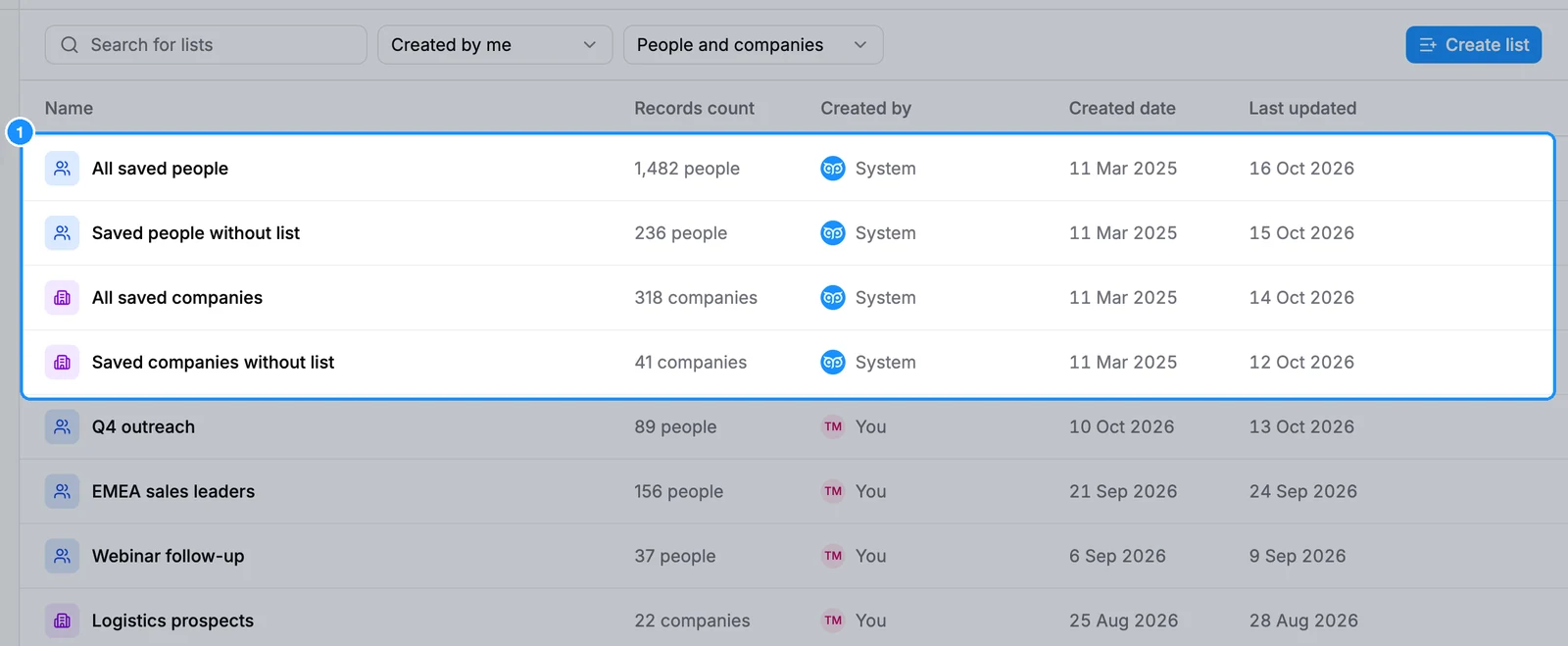
Everyone your workspace has saved is in one place: the built-in views at the top of Lists. They work like a list, with the same filters, columns and bulk actions, but you cannot rename or delete them.
| All saved people | Every person saved in the workspace, in any list |
| Saved people without list | Saved people who are in no list, for example after you deleted a list but kept its people |
| All saved companies | Every company saved in the workspace |
| Saved companies without list | Saved companies that are in no list |
Before you begin
- Every member sees the same saved people and companies.
- Credits: viewing and filtering is free. Revealing an email or mobile here costs the usual credits.
Steps
Open Lists and click All saved people (or All saved companies).
Narrow the view with the filters on the left. They are the same filters as People search, applied only to the people you saved.
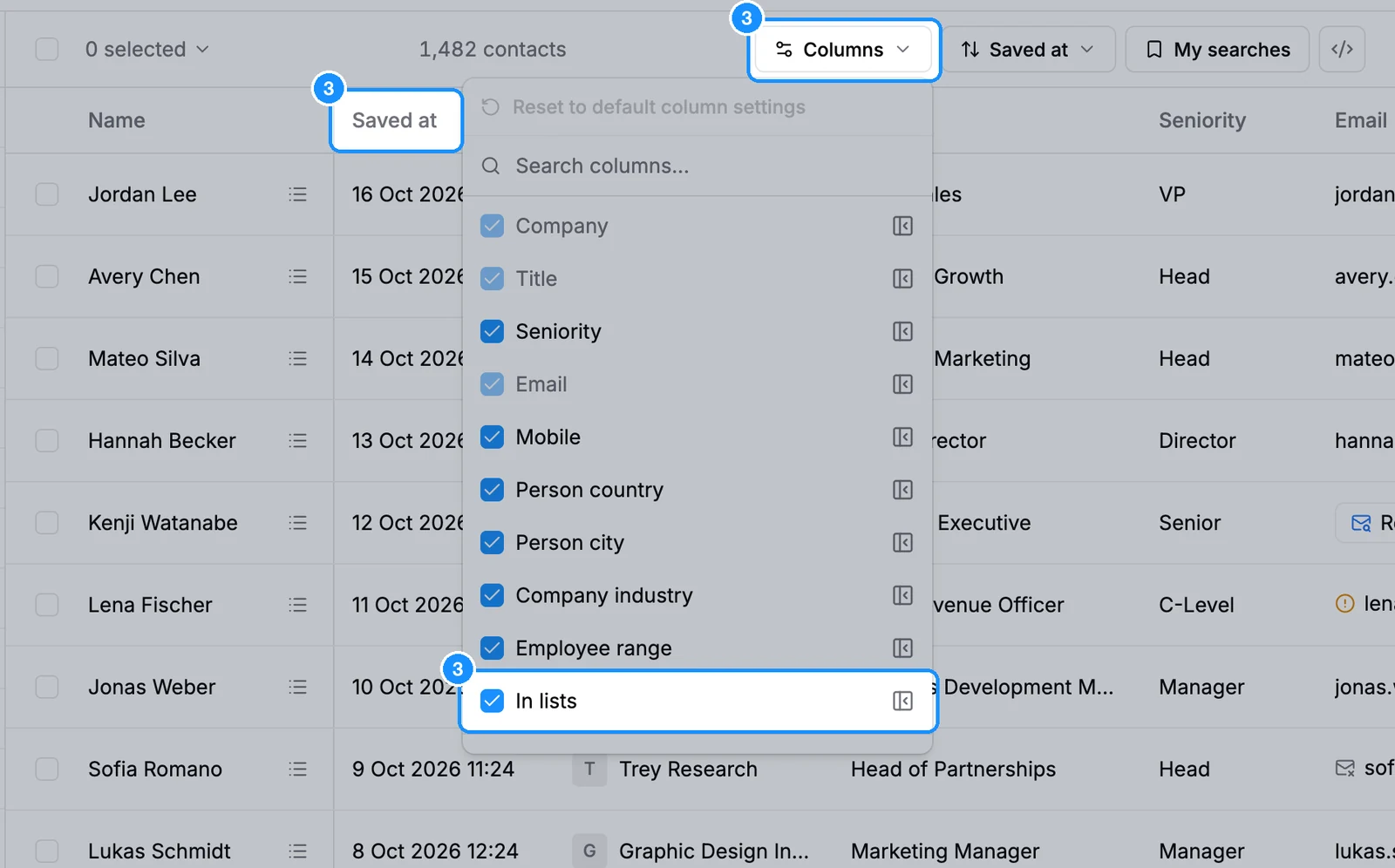
Change columns with the Column settings icon: search, add, remove, drag to reorder and freeze columns. Saved views and lists have a Saved at column; In lists shows each person's lists. The view remembers your columns.
Click a name to open the panel. For a person it shows the job, contact details with Reveal email and Reveal mobile, the current company, other current companies and the lists they are in. Hover a list tag to see when they were saved. For a company it shows the company facts and View employees.
Tick rows to use bulk actions: Add to list, Export, Delete and, for people, Enrich mobiles. See Bulk actions.
To export a whole view, click the Export icon in its header.
FAQ
Where are all the contacts I saved?
In All saved people. Anyone you saved from People search, a list or the Chrome extension is there, whichever list they went into.
Why is someone in "Saved people without list"?
They are still saved, but in no list. This happens when you delete a list and keep its people, or untick their last list. Add them to a list, or delete them if you no longer need them.
Can I edit a saved person's details?
Yes, for name, email and phone. See Edit a saved person's or company's details.