

Table of content
You can leave out companies by keyword, by industry, or by a list of up to 20,000 companies. The same filters work in People and Companies search.
Before you begin
- Any workspace member can do it.
- Credits: free. Filters never use credits.
Exclude a keyword or an industry
Open Company keywords, type a word and press Enter.
Hover the chip and click the exclude icon. The chip turns red: companies with that word are left out.
Open Industry, switch it to Exclude, then tick whole categories or single industries.
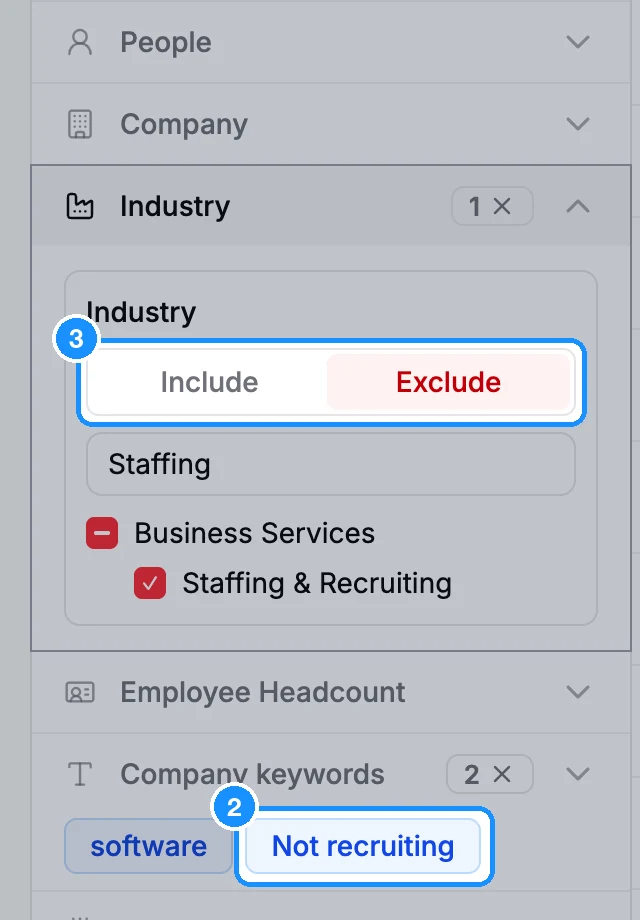
The same chip toggle works on Job Title, Location, Technologies and company names you type in Company.
Include or exclude a list of companies
In the Company filter, click Bulk include or exclude companies.
Choose a source:
- Upload a list of companies: a CSV, TXT, TSV or Excel file, up to 20,000 lines and 50 MB.
- Paste a list of companies: company names, websites or social network URLs, one per line or separated by commas, up to 20,000.
- Saved uploaded list: a list you or a teammate uploaded before.
- Choose a company list from GetProspect: one of your workspace's company lists.
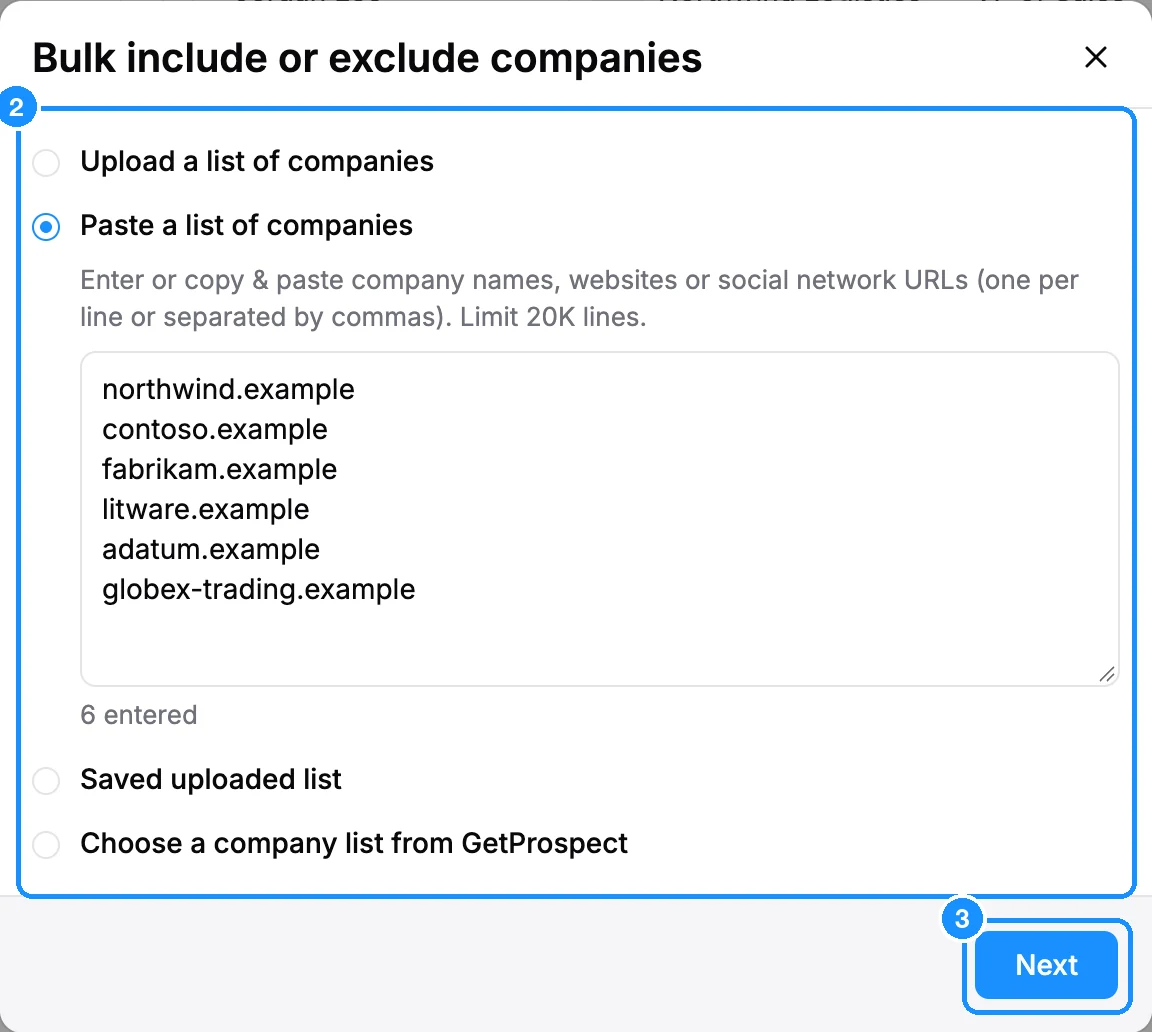
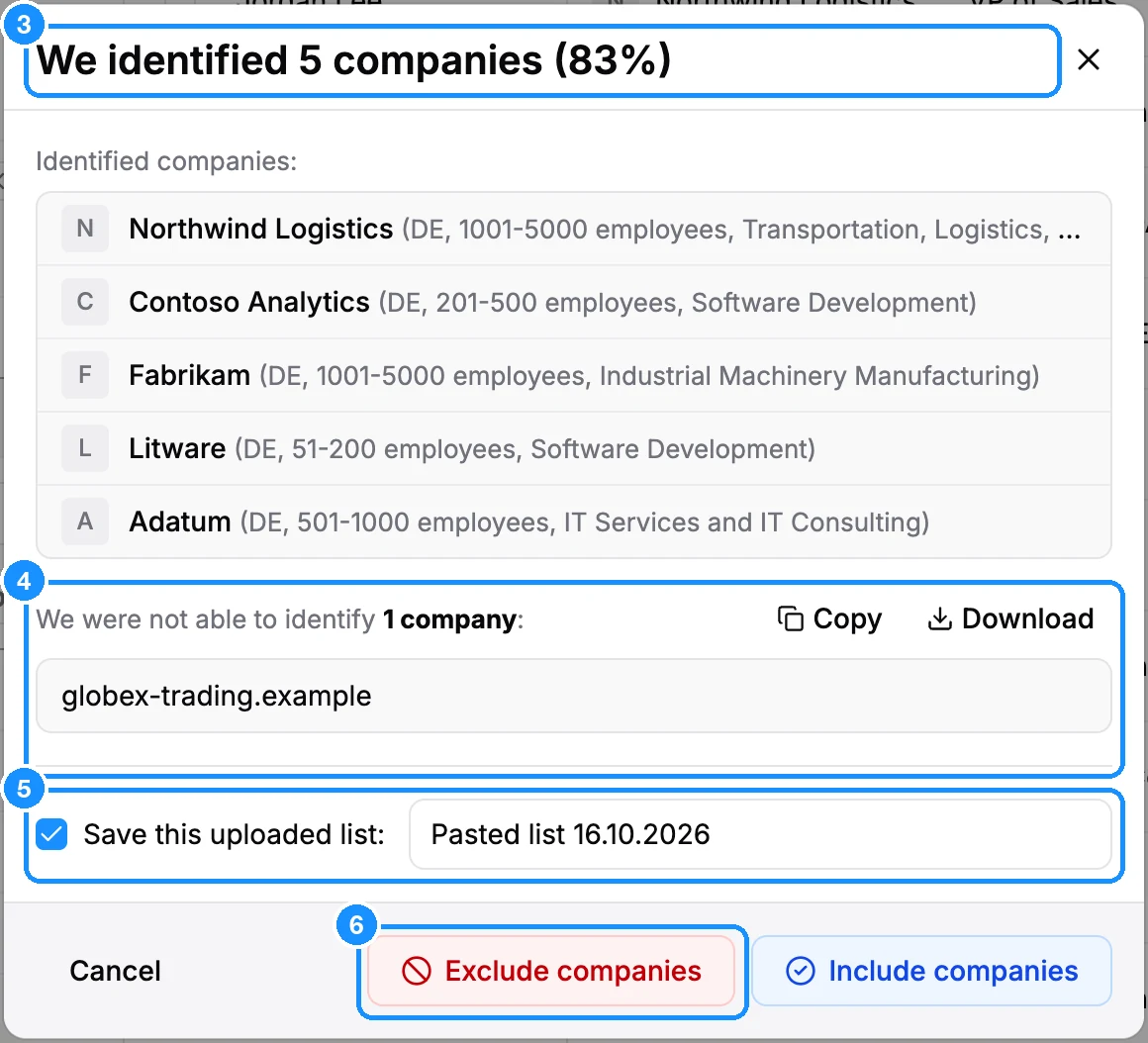
For an upload or a paste, click Next. GetProspect matches your lines to companies and shows how many it identified, with a sample.
Check the names that did not match. Copy or Download them if you want to fix them.
Keep Save this uploaded list ticked and name it, so you can reuse it from Saved uploaded list.
Click Exclude companies or Include companies.
What you get
The list appears as one chip in the Company filter, red when excluded and blue when included. Hover it to see a sample. Click the chip to switch sides, or remove it.
FAQ
I picked a company from the suggestions, but I can't exclude it.
A company picked from the suggestion list can only be included. To exclude it, type the name and choose Search for "...", then exclude the chip. Or paste it into Bulk include or exclude companies.
How do I keep my existing customers out of every search?
Upload them once with Save this uploaded list ticked, then exclude that saved list in each search. To block a company domain for the whole workspace, use Settings > Blocked.
Is there still a 500-domain or 50,000-row limit?
No. A bulk list takes up to 20,000 lines.