

Table of content
People search finds people in the GetProspect database by job, company and location. Open it at People.
Before you begin
- Any workspace member can search.
- Credits: searching is free. Revealing an email, revealing a mobile and saving people can use credits. See "Credit usage" below.
Steps
Open People in the sidebar. Until you pick a filter, the page shows your Recent and Saved searches.
Pick filters in the rail on the left. Results update as you go.
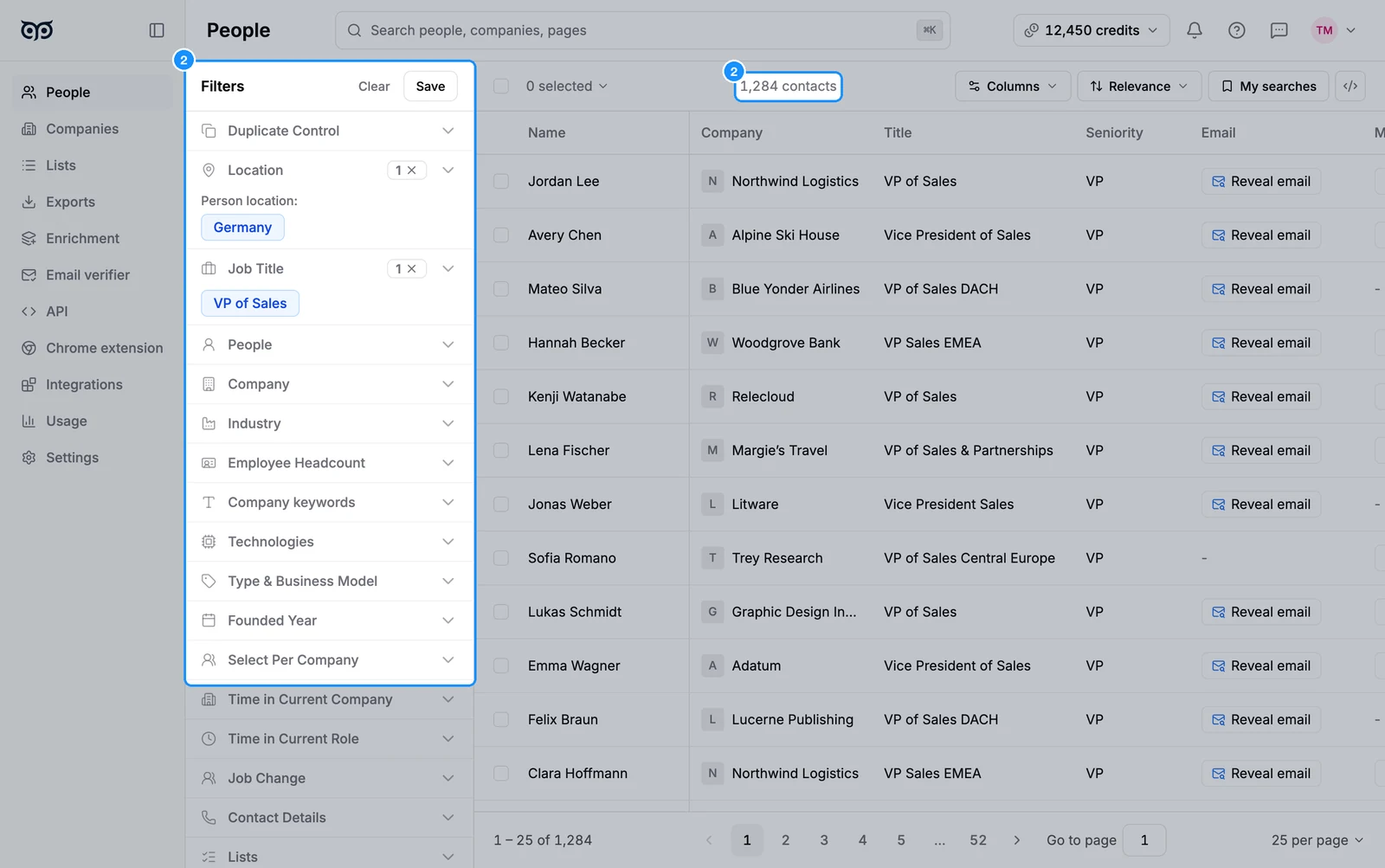
To exclude a value, hover its chip and click the exclude icon. The chip turns red. Click it again to include it.
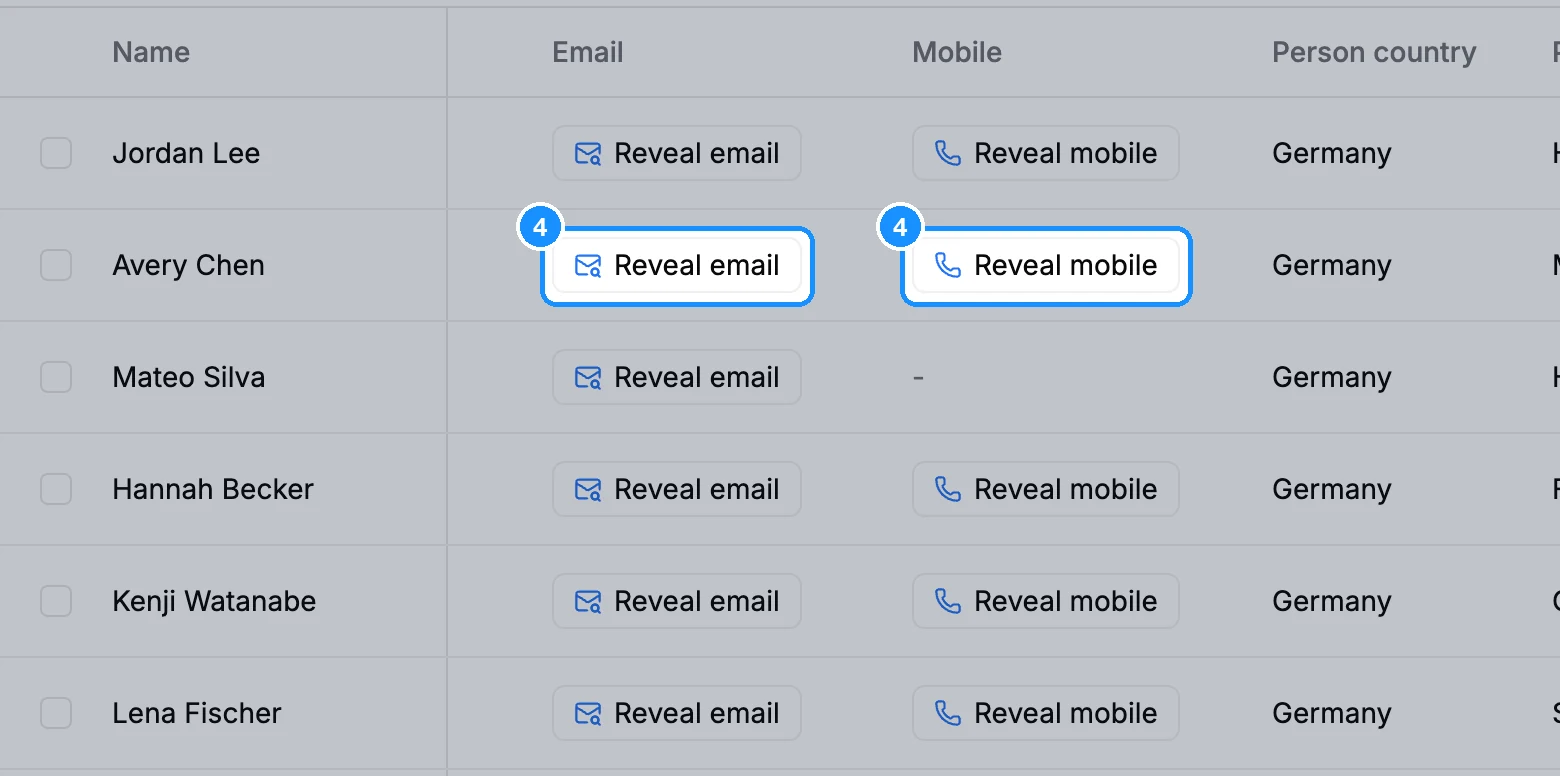
Click Reveal email or Reveal mobile in a row to see that person's contact details.
Click a person's name to open their profile panel: Contact details, Current company, Other current companies and the lists they are in.
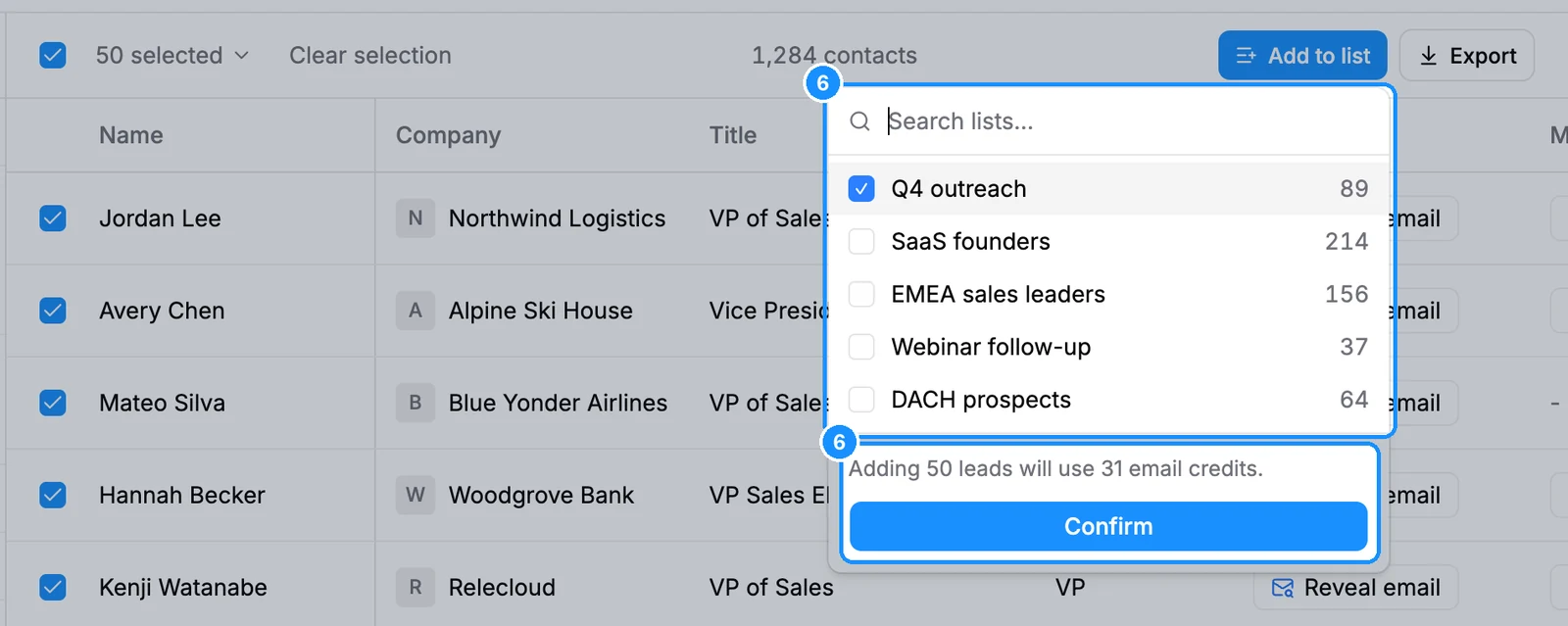
Tick people, or use the selection menu (Select this page, Select all people, Select number of people), then click Add to list. The popover shows how many email credits the save will use before you confirm.
Filters
Filters appear in the rail in this order.
| Duplicate Control | Hide people you already saved, exported or revealed. See Hide people you already saved. |
| Location | People tab: where the person is. Companies tab: where their company is, with Headquarters only. |
| Job Title | Titles with Contains or Exact match, bulk paste, Boolean search, plus Departments and Seniority. |
| People | A specific person, or everyone with a name. |
| Company | Name, domain or LinkedIn URL, or Bulk include or exclude companies. |
| Industry | Whole categories or single industries, with Include or Exclude. |
| Employee Headcount | Predefined range or Custom range. |
| Company keywords | Words in Company specialties, Social media description or Website pages, matched Any (OR) or All (AND). |
| Technologies | Technologies or technology categories the company uses. |
| Type & Business Model | Company Status, How they sell and Revenue stream. |
| Founded Year | A range of founding years. |
| Select Per Company | Cap how many people from one company appear. |
| Time in Current Company | Tenure at the company, in years and months. |
| Time in Current Role | Tenure in the current position. |
| Job Change | Changed jobs within N months: Any, New company or Promotion. |
| Contact Details | Email found: only people with a verified work email. See Why some contacts have no email. |
| Lists | Saved in any list, or include or exclude specific lists. |
Results
- The count above the table shows how many people match. Results load 25, 50 or 100 per page, up to 25,000. See Results per page and the 25,000 limit.
- Column settings adds, hides and freezes columns such as Seniority, Departments, In lists or Company industry.
- The sort menu defaults to Relevance. You can sort by name, title, company and more when a search has fewer than 500,000 results.
- My searches opens your recent and saved searches. See Saved searches and search alerts.
- A selection also offers Export. See Export people and companies.
Credit usage
| Searching, filtering, opening a profile | Free |
| Reveal email | 1 email credit per valid email newly revealed; not found is free |
| Reveal mobile | 1 phone credit per number found; not found is free |
| Add to list | 1 email credit per person whose valid email you do not own yet; people without an email are saved free |
| An email you already own | Free again, anywhere |
FAQ
I revealed emails, but the people are not in my list. Why?
Reveal only shows the email; to keep the person, add them to a list, free for emails you already revealed (see Reveal or save?).
Can I create a person manually?
No. Every person comes from the GetProspect database. Find them in People search, with the Chrome extension, by enriching a file or through the API.