

Table of content
Duplicate Control is the first filter in People search. It hides people you have already dealt with, so every page shows new leads.
Before you begin
- Any workspace member can use it. It applies to what your whole workspace has saved, exported or revealed.
- Credits: free.
Steps
Open People and expand Duplicate Control.
Tick the options you need.
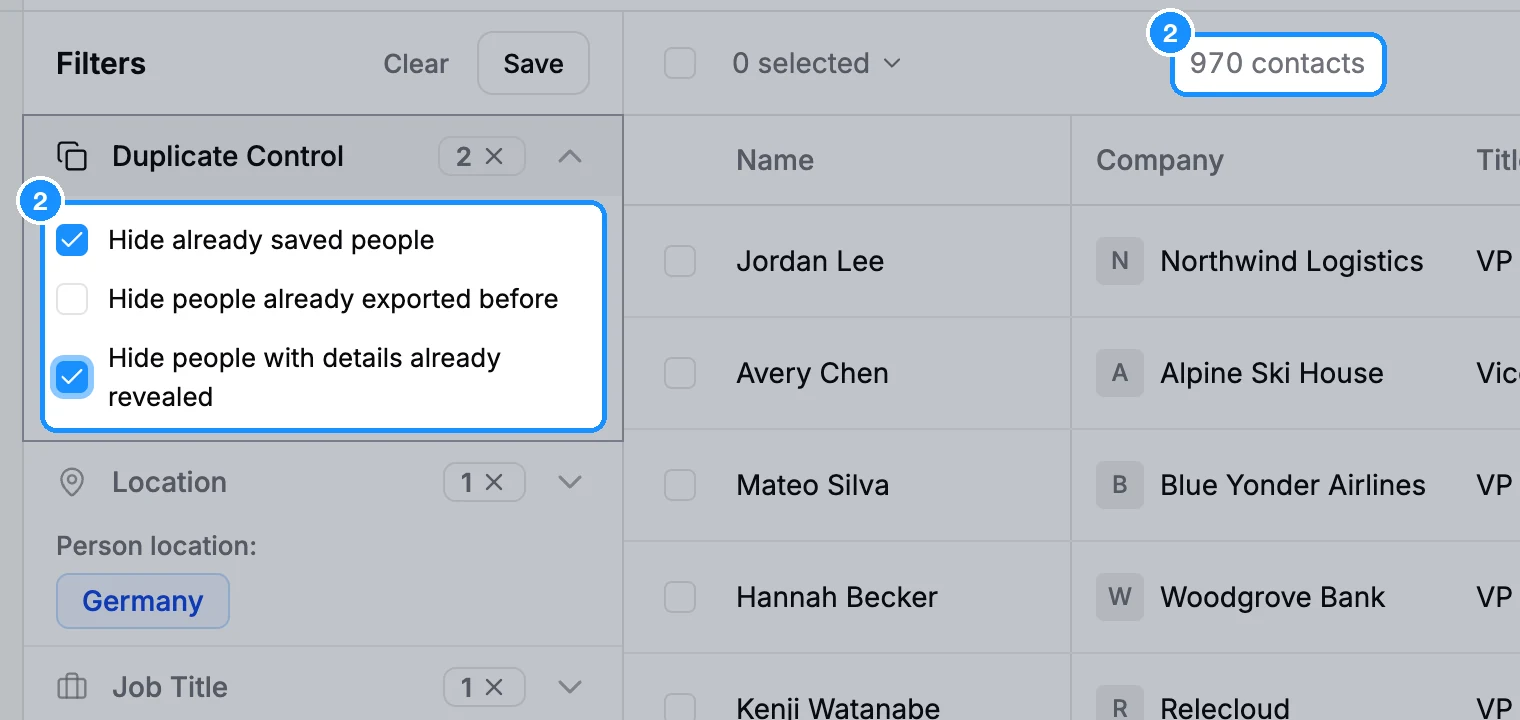
| Hide already saved people | Everyone your workspace saved, in any list or in none. Shown on searches. |
| Hide people already in another list | People in this list who are also in another list. Shown when you open a list. |
| Hide people already exported before | People your workspace exported from the new app. |
| Hide people with details already revealed | People whose email or mobile your workspace already revealed. |
In Companies, Duplicate Control offers Hide already saved companies, and Hide companies already in another list on a list.
How duplicates are handled
- One record per person. Everyone comes from the GetProspect database, so the same person is never stored twice in a workspace. Adding a saved person to another list puts the same record in both lists.
- You do not pay twice for an email. An email your workspace already revealed, saved or paid for is free again, anywhere, while your workspace is active.
- The extension skips saved people too. Its setting Check duplicates before save is on by default.
FAQ
Why do people I exported in the old app still show?
Hide people already exported before counts exports made in the new app only. Use Hide already saved people instead if you saved them.
How do I save the next batch after 25,000?
Tick Hide already saved people. The people you saved drop out and the next ones move up. See Results per page and the 25,000 limit.