

Table of content
Search results load 25, 50 or 100 per page. However many people match, a search reaches only its first 25,000 results, and one save takes up to 25,000 people. There is no 100-lead preview any more: you can page through all 25,000.
Change the page size
At the bottom of the results, click the per page menu next to the result range.
Pick 25, 50 or 100.

GetProspect remembers your choice for next time. The page and size are in the address, so a copied link opens the same page.
Why the count says "up to"
With Select Per Company on a very large search, GetProspect can only estimate the total. The count then reads "up to N", and the real number of people can be lower.
Save more than 25,000 people from one search
The count can show more than 25,000, but paging, Select all people and Add to list stop at 25,000. To get the rest:
Save the first 25,000 to a list.
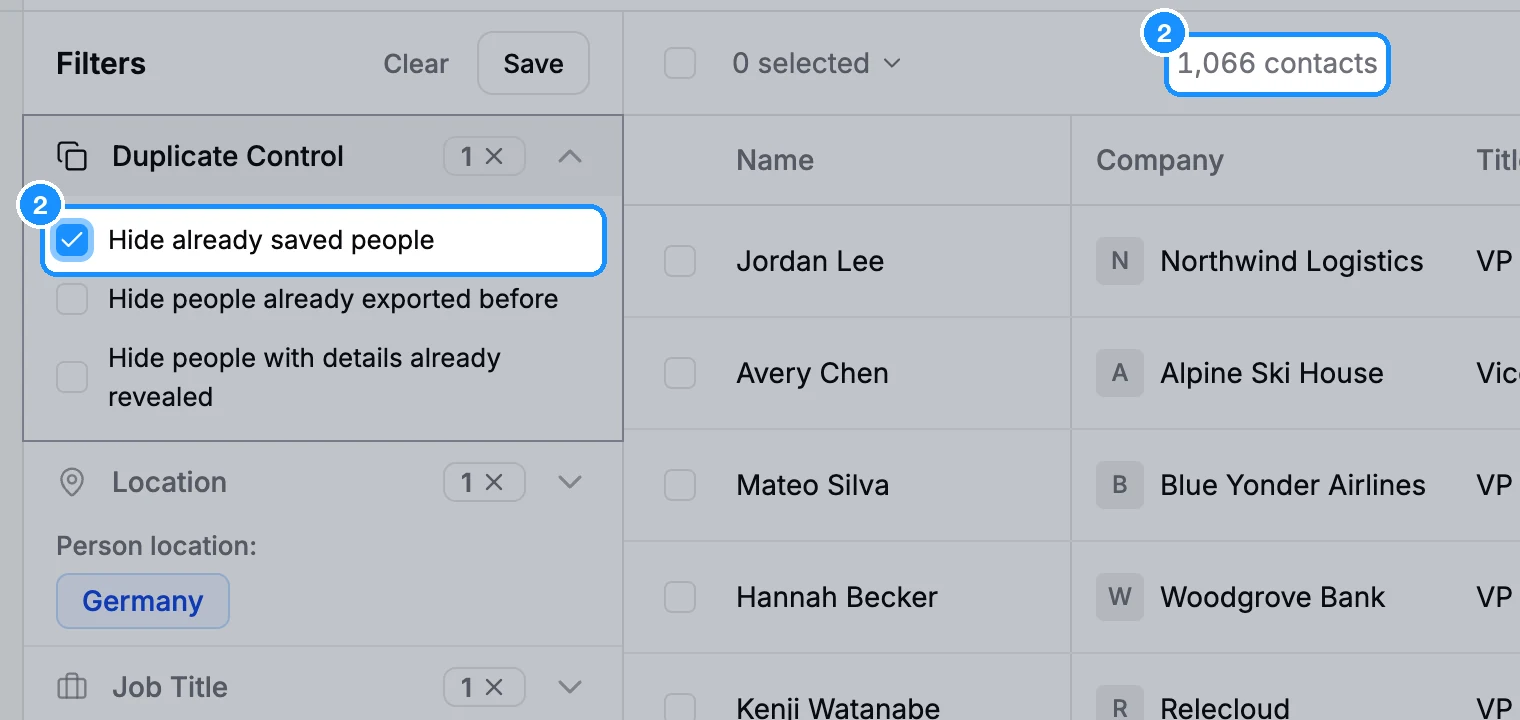
Open Duplicate Control and tick Hide already saved people. The people you just saved drop out, and the next 25,000 come up.
Select them again and click Add to list. Repeat until the search is empty.
You can also split the search with filters instead, for example one search per country or per seniority, each under 25,000.
Credit usage
Paging and changing the page size are free. Each batch you save uses 1 email credit per person whose valid email you do not own yet; people without an email are saved free.
FAQ
Why can't I sort my results?
Sorting needs fewer than 500,000 results. Add filters to narrow the search, then sort.
Does the API have the same limit?
Yes. API searches page 25, 50 or 100 at a time and reach the first 25,000 results. See the API pagination docs.