

Table of content
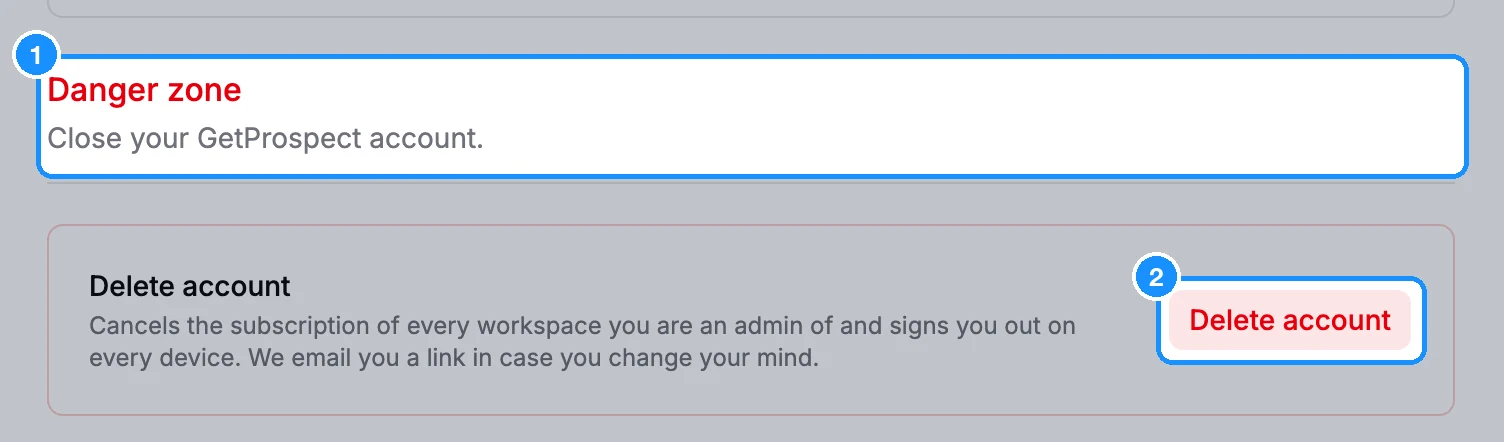
Delete your account from Settings > Account, in the Danger zone section at the bottom. You can undo it for 9 days with the restore link we email you.
Before you begin
- Your plans are cancelled. Deleting cancels the subscription of every workspace you are the admin of, and paid plans do not renew.
- Teammates lose your workspaces. When the 9 days are over, the workspaces you are the admin of are deleted with everything in them, for every member. If your team should keep one, ask support to make a teammate its admin first.
- Only want a different email? You don't need to delete anything. See Change your email, password and active sessions.
Steps
Open Settings > Account and scroll to Danger zone.
Click Delete account.
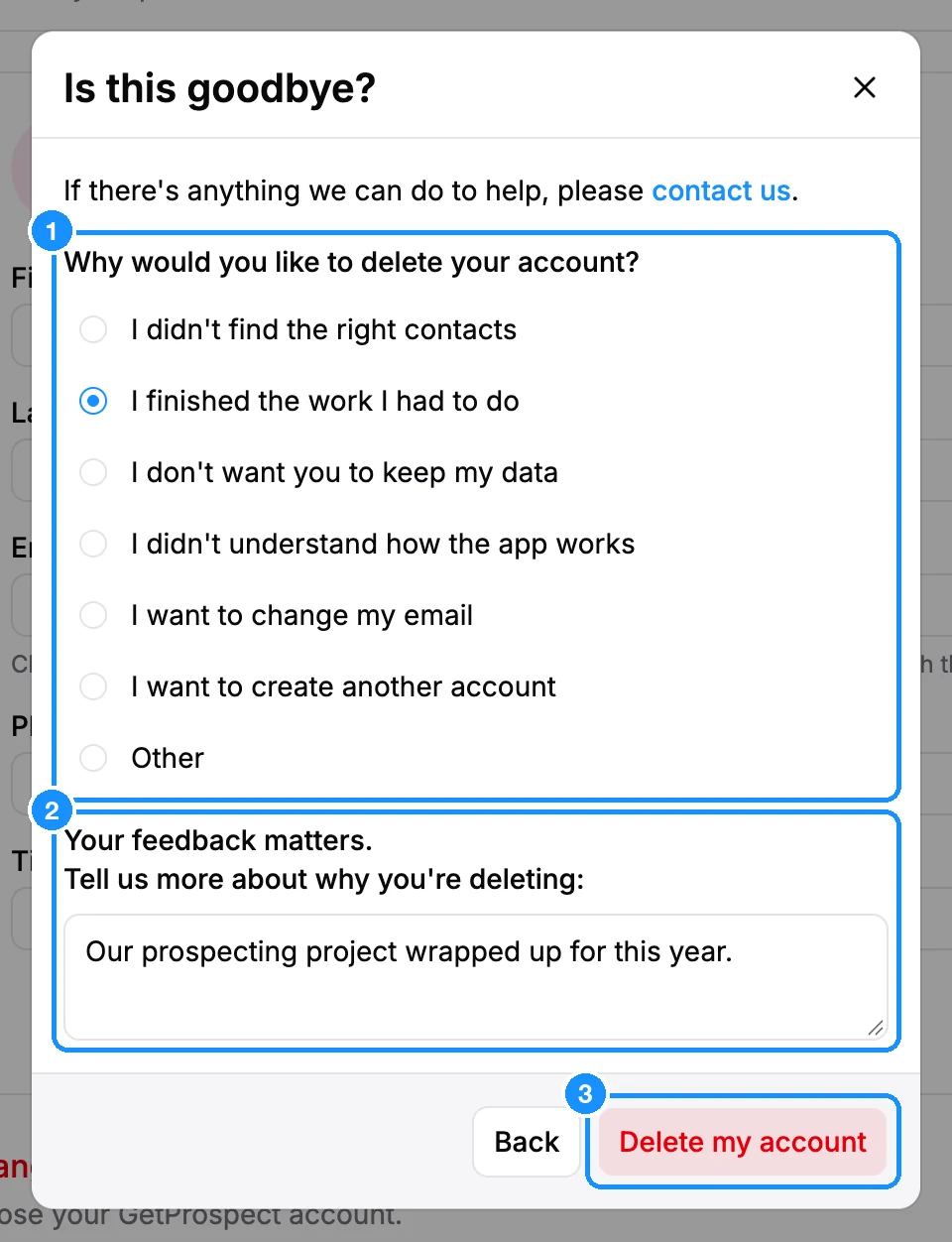
Follow the dialog that opens. Which one you see depends on your plan:
- Free plan or teammate: in Is this goodbye?, choose a reason under Why would you like to delete your account?, add a note if you like, and click Delete my account.
- Admin of a paid plan: you go through the cancellation steps. Pick a reason under Why would you like to delete your account?. You may be offered a pause (Before you delete your account) or a cheaper plan; click Continue to delete or Delete anyway to go on. On Confirm account deletion, click Delete my account. Keep my account stops the deletion.
- You already cancelled and told us why: a short Delete account dialog asks you to confirm. Click Delete account.
What happens next
- You see "Your account has been deleted" and are signed out on every device.
- We email you a restore link. Open it within 9 days to get your account, workspaces and lists back. A cancelled plan does not restart: buy it again in Settings > Subscription if you need it.
- After 9 days, the account and its data are deleted and can't be restored. Copies in encrypted backups expire within 124 days.
If the Delete account button is greyed out with "Your request is in progress, please wait", a cancellation or deletion you started is still being processed. Try again later.
FAQ
I deleted my account by mistake. Can I get it back?
Yes, for 9 days. Open the restore link in the email we sent, then sign in. See Signing in.
Do I need to cancel my subscription first?
No. Deleting the account cancels the plans of the workspaces you are the admin of.