

Table of content
Sign in at app.getprospect.com/login with your email and password, or with Sign in with Google. Use the same method you signed up with, or set a password as described below.
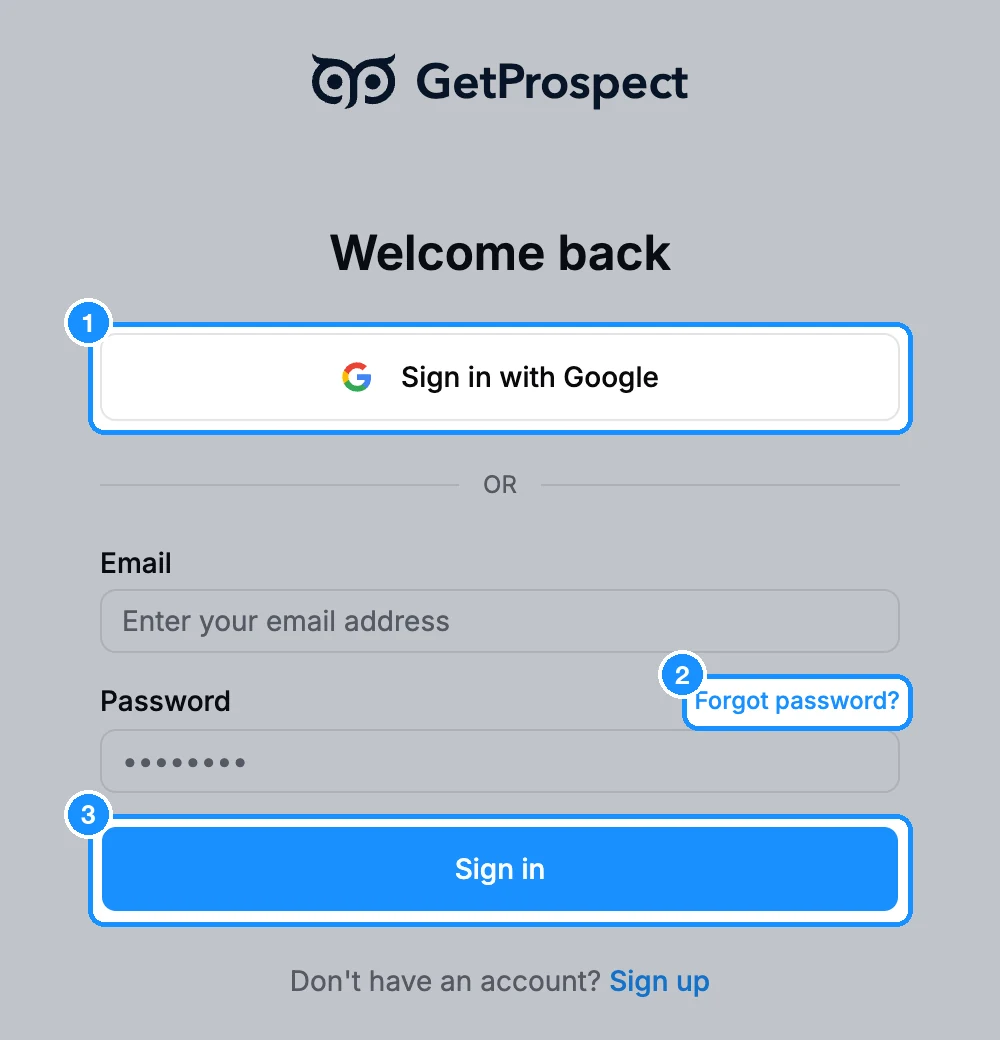
Created your account with Google?
You see: "This account was created with Google. Please use the "Sign in with Google" button to log in."
- Click Sign in with Google and pick the same Google account, or
- Set a password: click Forgot password?, enter your email and click Send reset link. Open the link in the email, choose a password and sign in with it. Google sign-in keeps working too.
Forgot your password?
- On the sign-in page, click Forgot password?.
- Enter your email and click Send reset link. You see "If an account uses that address, we sent it a password reset link."
- Open the link within 10 minutes and set a new password of at least 12 characters.
Resetting the password signs you out on every device. If the link expired ("Failed to reset password. Your link may have expired."), request a new one.
"Your account is deleted"
The account was deleted, either by its owner in Settings > Account, or automatically after 3 years without any activity. In both cases we email a restore link to the account's address.
- Within 9 days: open the restore link in that email. You see "Your account has been restored. Sign in to continue."
- After 9 days: the account and its data are deleted and can't be restored. Copies in encrypted backups expire within 124 days. To start again with the same email, contact support.
If you can't find the restore email, contact support within the 9 days.
Other messages
| "Incorrect email or password" | Check the address, or reset the password with Forgot password?. |
| "Too many login attempts. Please try again in a few minutes." | Wait a few minutes, then try again. |
| "Your session expired. Please sign in again." | Sign in again. |
| "Your account is blocked" or "Your account is blocked or deleted" | Contact support. |
To sign out, open the account menu at the top right and click Sign out.