

Table of content
You can cancel your paid plan at any time in Settings > Subscription. Nothing changes until the end of the period you paid for. Then the workspace moves to the Free plan.
Before you begin
- Only the workspace admin can cancel.
- Cancelling stops future payments. It does not delete your account or your data.
Steps
Open Settings > Subscription.
Under Subscription status, click Cancel.
If your plan can be paused, you first see Before you cancel with a pause offer. Click Continue to cancel to go on, or Pause instead.
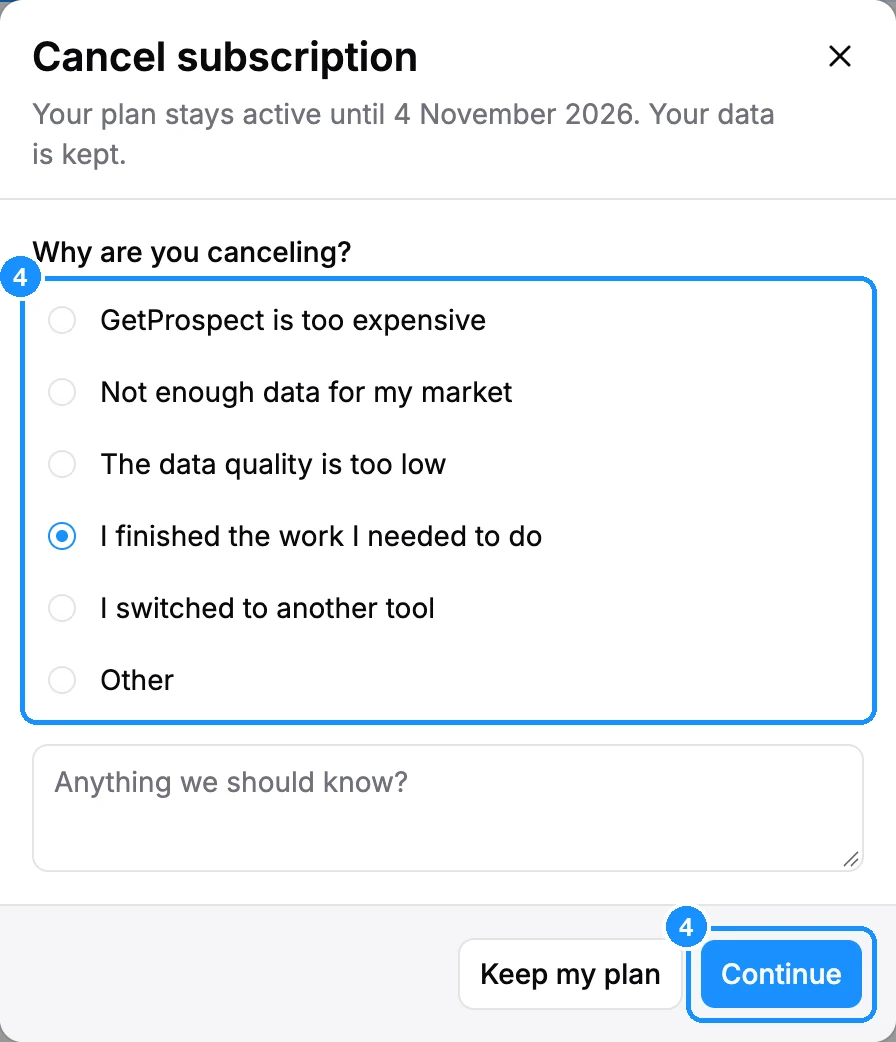
Under Why are you canceling?, pick a reason. For "I switched to another tool", choose the tool. Add a note in Anything we should know? if you like, then click Continue.
You may see Continue using GetProspect at a reduced price with a cheaper plan. Pick it and click Use discounted plan (it starts at your next renewal), or click Cancel anyway.
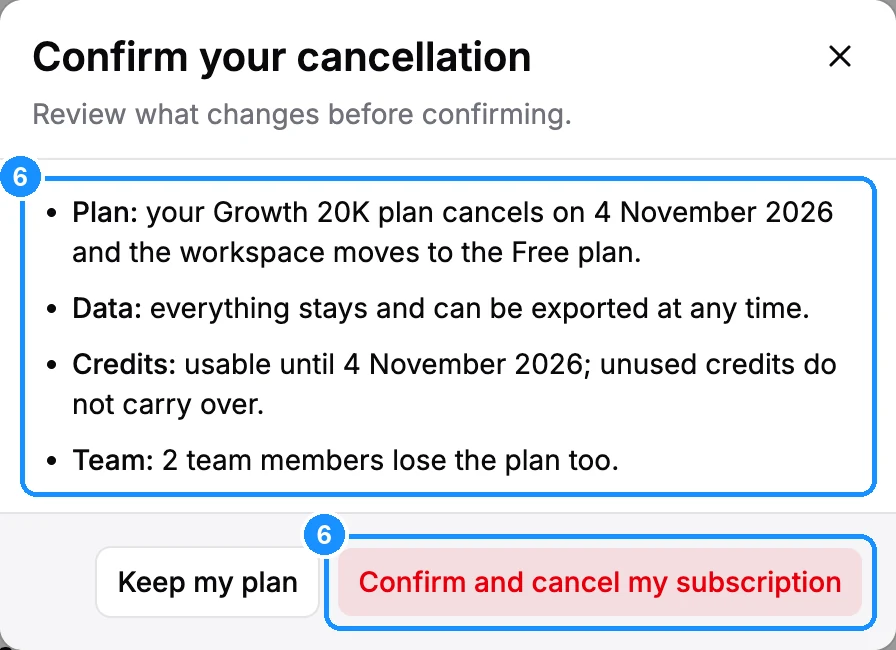
Read Confirm your cancellation and click Confirm and cancel my subscription.
What happens next
- The plan shows Canceled and "access ends" on the last day of the period. You can use your credits until then.
- On that day the workspace moves to the Free plan. Unused plan credits do not carry over.
- Purchased Extra credits stay.
- Your lists, saved people and companies stay, and you can export them any time.
- The whole workspace, teammates included, moves to Free.
Changed your mind?
Before the period ends, click Reactivate on Settings > Subscription. The plan continues as before.
FAQ
I only want to stop auto-renewal. Is that the same as cancelling?
Yes. Cancelling stops the next payment and keeps the plan to the end of the period.
I want to change plan, not leave. Should I cancel?
No. Click Change plan instead. See Upgrade or downgrade your plan.
I cancelled but was charged again.
Contact support through chat. See Refunds.