

Table of content
You can move to a bigger or smaller plan at any time from Settings > Subscription. The new plan starts as soon as you pay, and a new billing period starts that day.
Before you begin
- Only the workspace admin can change the plan.
- Some workspaces are asked to verify the account before paying. See Why we review some accounts.
Steps
Open Settings > Subscription and click Change plan.
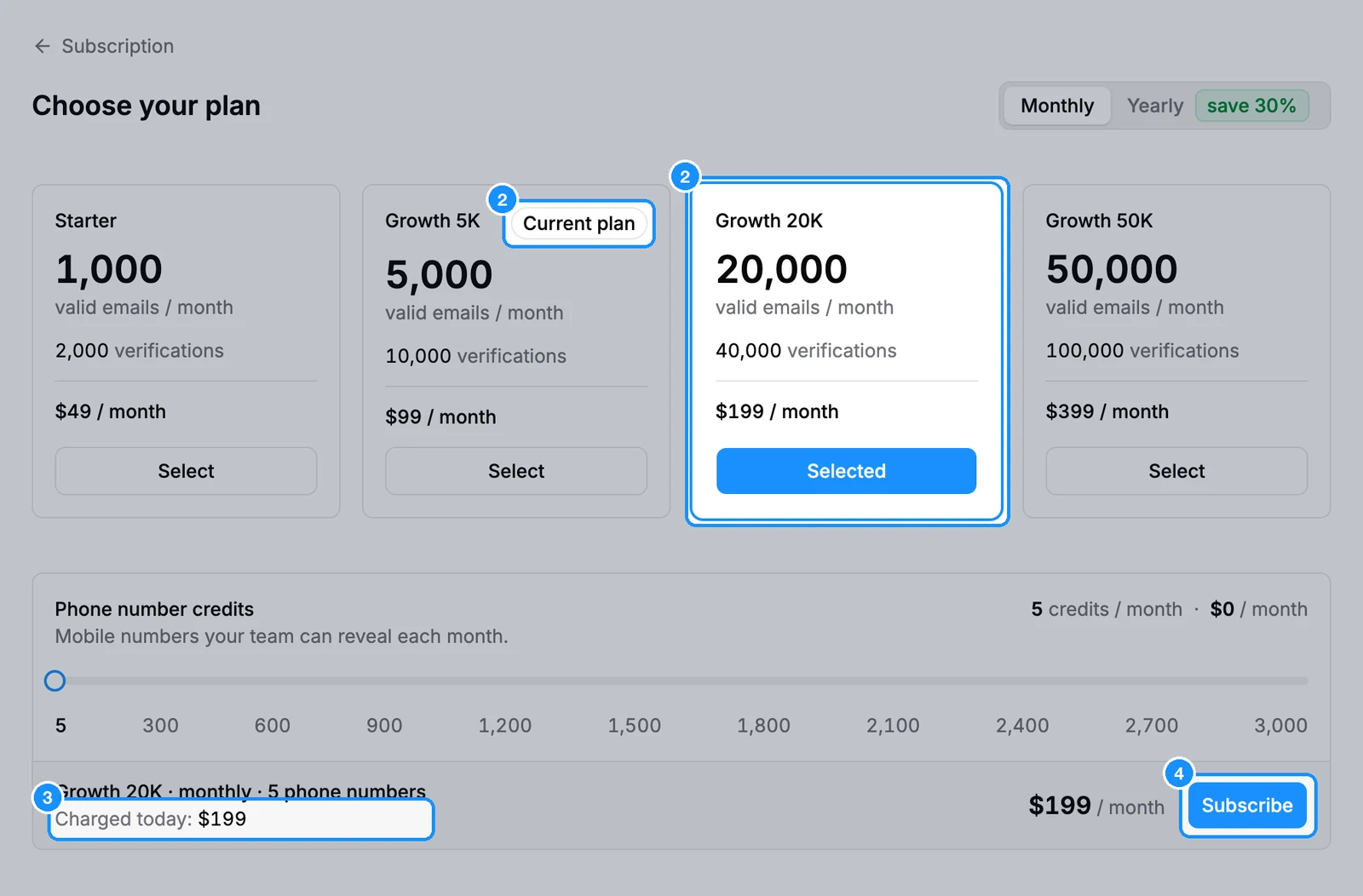
On Choose your plan, pick Monthly or Yearly, then click Select on the plan you want. Your plan is marked Current plan.
Adjust the Phone number credits slider if you want. The bar at the bottom shows the price and Charged today.
Click Subscribe.
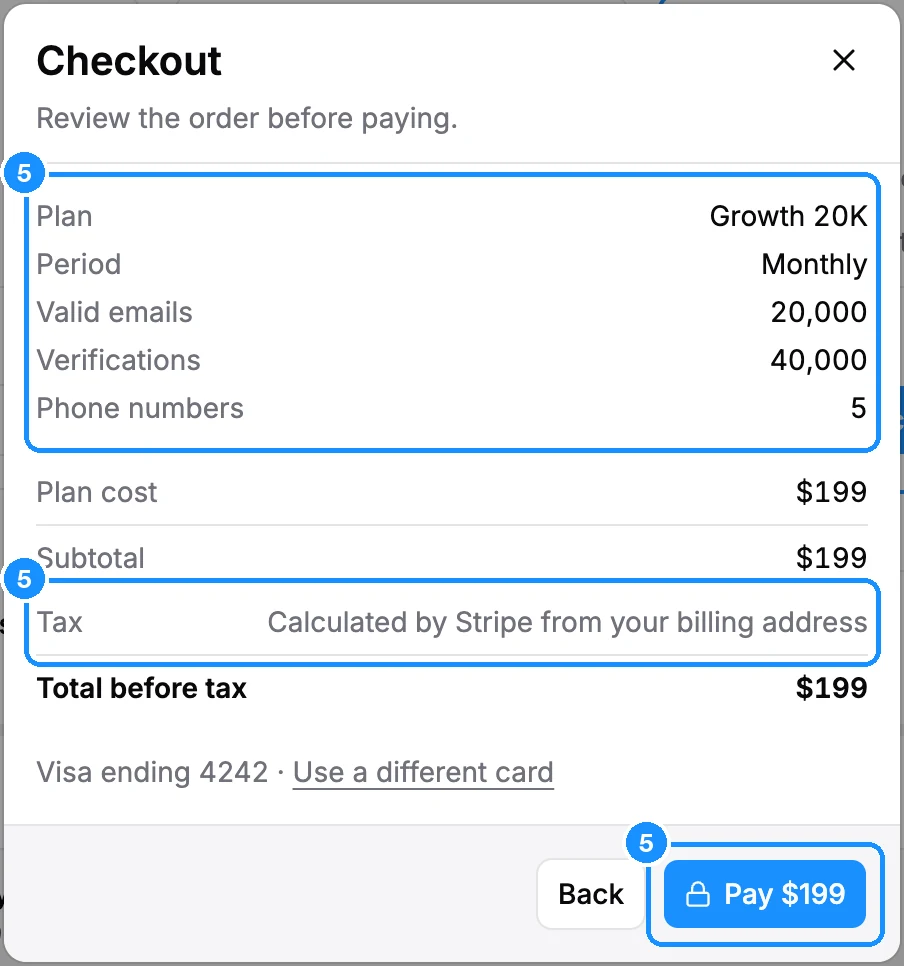
In Checkout, check the order and the tax. With a saved card, click Pay, then confirm the exact amount. Without one, click Continue to checkout and pay on Stripe's page.
The page shows a short "Activating" notice while the payment is applied, then your new plan.
What happens to your credits
| Upgrade to a bigger paid plan | All carry over |
| Buy a plan from Free | Nothing carries over |
| Downgrade on a monthly plan | Carry over, up to the new plan's monthly allowance |
| Change to or from a yearly plan | See Do unused credits roll over? |
Carried credits last one billing period. Purchased Extra credits always stay.
Example: you have 2,000 email credits left on Growth 5K and downgrade to Starter 1K. You start with 1,000 + 1,000 carried over.
FAQ
Do I pay the full price of the new plan?
Yes. You pay the new plan's price today and a new period starts. Unused credits carry over as shown above.
Can I lower only my phone credits?
Yes. Move the phone slider down and click Confirm. It is free and takes effect at the next renewal.
Do I have to upgrade before a certain time to keep my credits?
No. Moving to a bigger paid plan carries all unused credits whenever you make it. Buying a plan from Free carries nothing.