

Table of content
Two things to do: delete your own copies of the person's data, and, if they want it gone from GetProspect too, send them to getprospect.com/personal-data. Only the person, someone they authorize, or their employer for its own staff can request a removal from GetProspect, so you cannot do it for them.
Before you begin
- Any workspace member can block a person.
- Credits: none of this costs credits.
Steps
Delete the person from your own records. Remove them from your lists in GetProspect (see Bulk actions), and from your CRM, spreadsheets, exported files and sending tools. GetProspect cannot reach copies outside the app, so this part is yours.
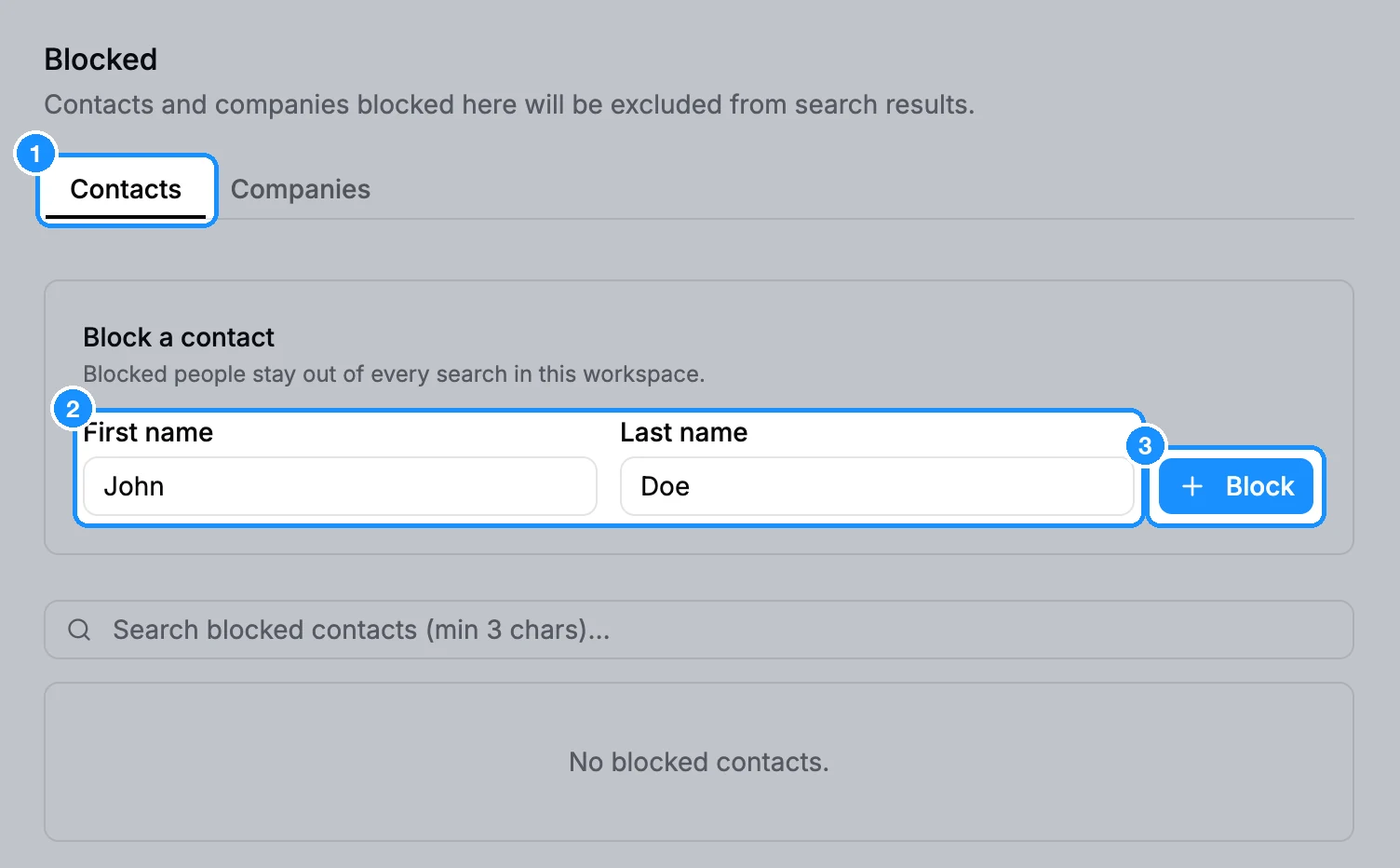
Keep them out of your searches. Open Settings > Blocked, stay on Contacts, enter their First name and Last name, and click Block. Blocked people stay out of every search in this workspace.
Tell them how to remove their data from GetProspect. For example:
You can remove your data from GetProspect at https://getprospect.com/personal-data. If you cannot use the form, email with your full name and your business email address or LinkedIn profile URL.
What happens when they remove their data
- On the Personal Data page they enter their details and confirm through a link sent to their email. The data is removed as soon as they confirm.
- Their record is deleted from the GetProspect database, with its emails and phone numbers.
- Every workspace that saved them is notified by email, and the person is removed from those workspaces' lists in GetProspect.
- They are kept from being added again. In the Chrome extension they show as "This person asked us to stop processing their data, so they can't be saved."
- Exports and CRM copies you made earlier are not changed. You must delete them yourself.
FAQ
The prospect says their data is wrong. Can it be corrected?
They can email to have it corrected or removed. You can fix your own saved copy: see Edit a saved person's or company's details.
Can I submit the removal for them?
No. The confirmation link goes to the person's own email. Only the person, someone they authorize, or their employer for its own staff can request a removal.
This is general information, not legal advice.