

Table of content
To find emails for a list of LinkedIn profiles, put the URLs in one column of a CSV or Excel file and run CSV enrichment. For a single profile, use the LinkedIn URL tab or the search box at the top of the app.
The extension's old Import profiles by URLs box is gone.
Before you begin
- Any member of the workspace can do this.
- Credits: 1 email credit per new email found. Matching and the estimate are free.
- Accepted URLs: profile URLs (
linkedin.com/in/...) and Sales Navigator lead URLs. One URL per row. Company page URLs belong in a company file.
Steps: many profiles
Make a file with a column of profile URLs, one per row, with a header such as "LinkedIn URL". Other columns are kept as they are.
Open Enrichment, click Enrich a CSV, choose Enrich people and upload the file.
On Map your columns, check that Person LinkedIn URL points at your URL column, then click Next.
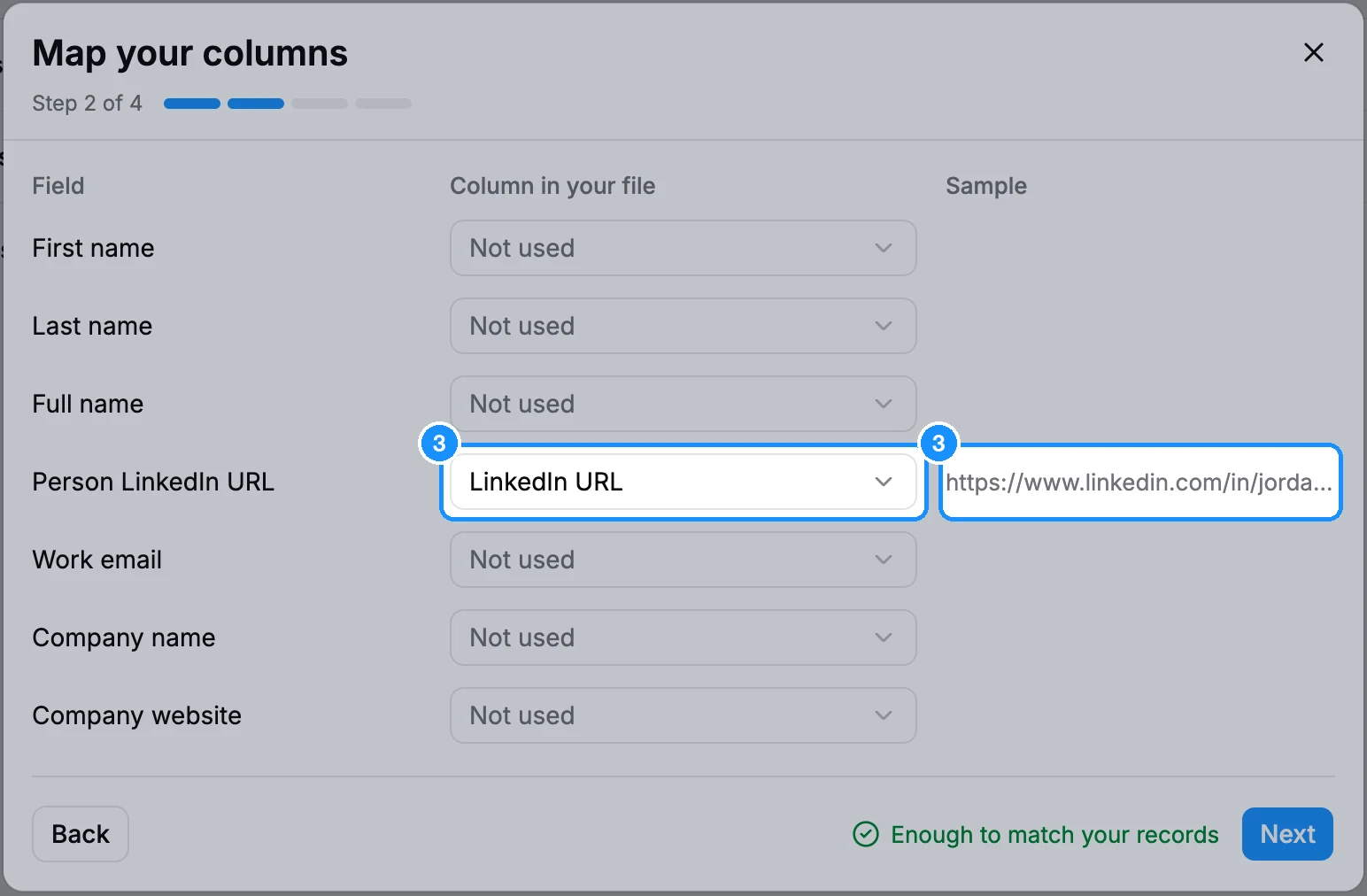
On Review and start, check the estimate and the Estimated cost, pick the fields you want and, if you like, a list under Save matched to list. Click Enrich ~N contacts.
When the job shows Completed, the file downloads. Emails are in the Email column after your own columns.
The full walkthrough is in Enrich a CSV or Excel file.
Steps: one profile
Paste the profile URL and click Find. The person's profile opens below with the email revealed.
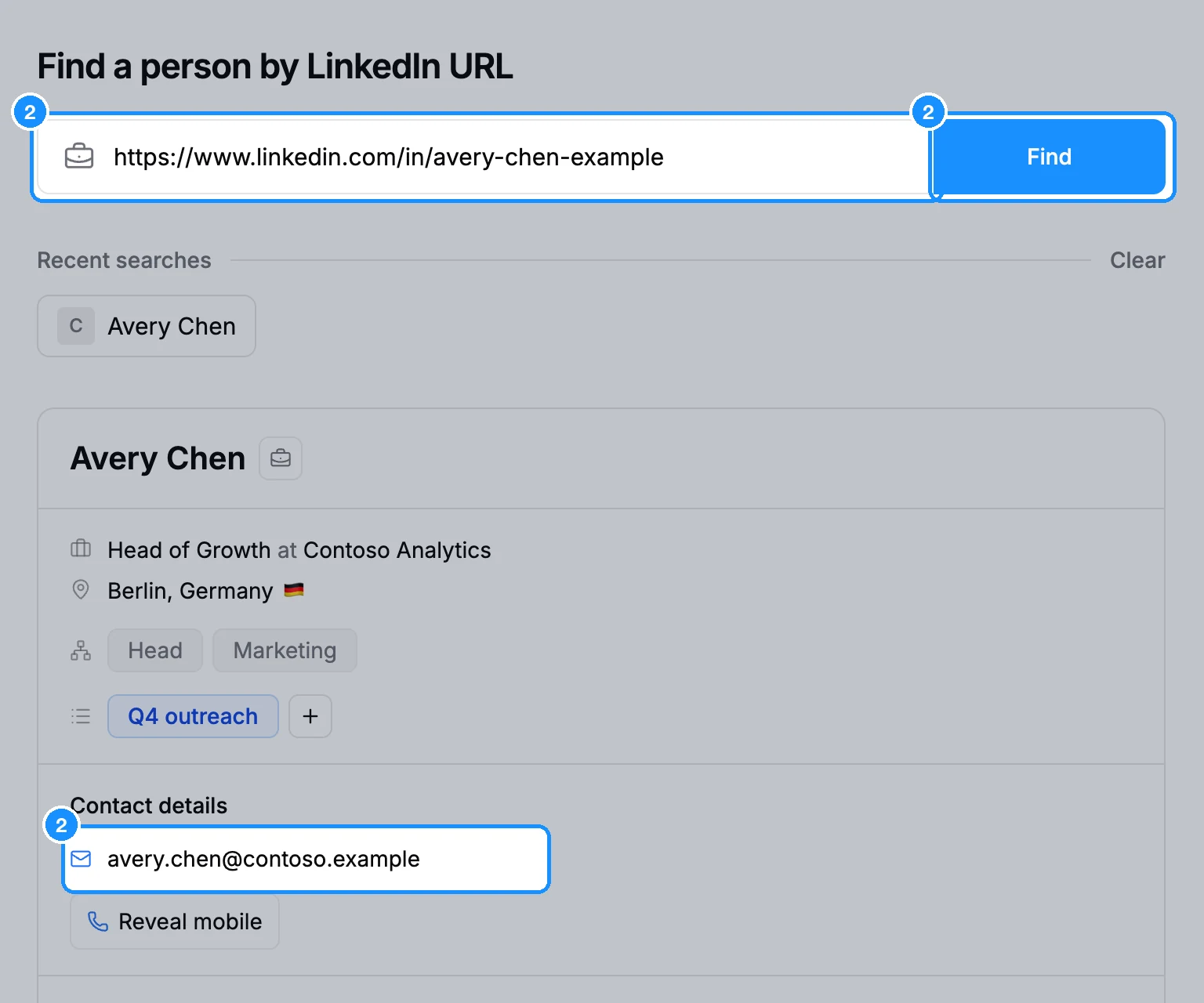
Or paste the URL into the search box at the top of the app (Cmd/Ctrl+K) and pick the person under People, then click Reveal email in their profile.
Credit usage
| Matching the file and the estimate | Free |
| Each new email found | 1 email credit |
| An email you already own | Free |
| Profiles with no match or no email | Free |
FAQ
Is there still a daily profile limit?
No. Daily limits were removed. The only limits are the file's: up to 1,000,000 lines and 150 MB (Excel: first sheet only, up to 100,000 rows).
Do Sales Navigator URLs work?
Yes, both in files and on the LinkedIn URL tab.
Why did some URLs not match?
The person is not in our database, or the URL is not a profile URL (for example a company page or a search link). Unmatched rows cost nothing.