

Table of content
The Enrichment page has four tabs for looking up one record at a time, next to CSV enrichment. Each one shows the result as a full profile, so you can reveal, add to a list or open the company from there.
| Find email | A full name and a company domain or name | The person and their verified email | 1 email credit if a new email is found |
| LinkedIn URL | A LinkedIn profile URL | The person, with their email revealed | 1 email credit if a new email is revealed |
| Email lookup | A business email | The person behind it | Free |
| Find company | A domain, company name or LinkedIn company URL | The company profile | Free |
Before you begin
- Any member of the workspace can run lookups.
- Credits: only a newly found or revealed email costs 1 email credit. Not found is free, and an email you already own is free again.
Steps
Find an email
Open Find email.
Type the person's name in Full name (for example "John Smith") and the company in Company domain or name. Both fields suggest matches as you type; picking a suggested person runs the lookup at once.
Click Find.
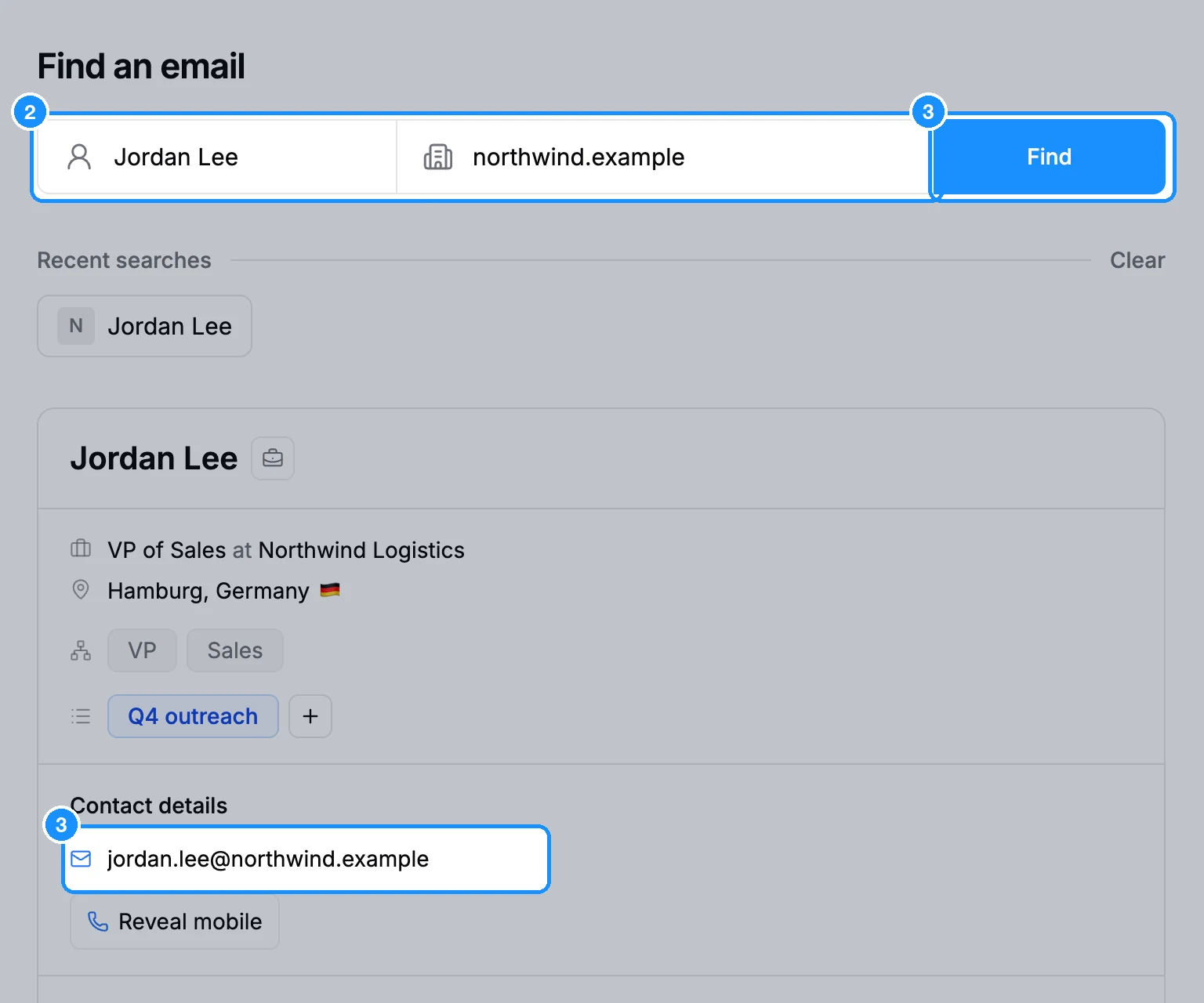
If the person is not in our database but you entered a domain, we still try to work out their address. You then see the email with a Valid badge and no profile. Results are not added to our database. A domain gives better results than a company name.
Find a person by LinkedIn URL
- Open LinkedIn URL.
- Paste a profile URL, such as
https://www.linkedin.com/in/usernameor a Sales Navigator lead URL, and click Find.
Find the person behind an email
- Open Email lookup.
- Enter a business email, such as
, and click Find. Personal addresses (Gmail and similar) do not lead to a person.
Find a company
Open Find company.
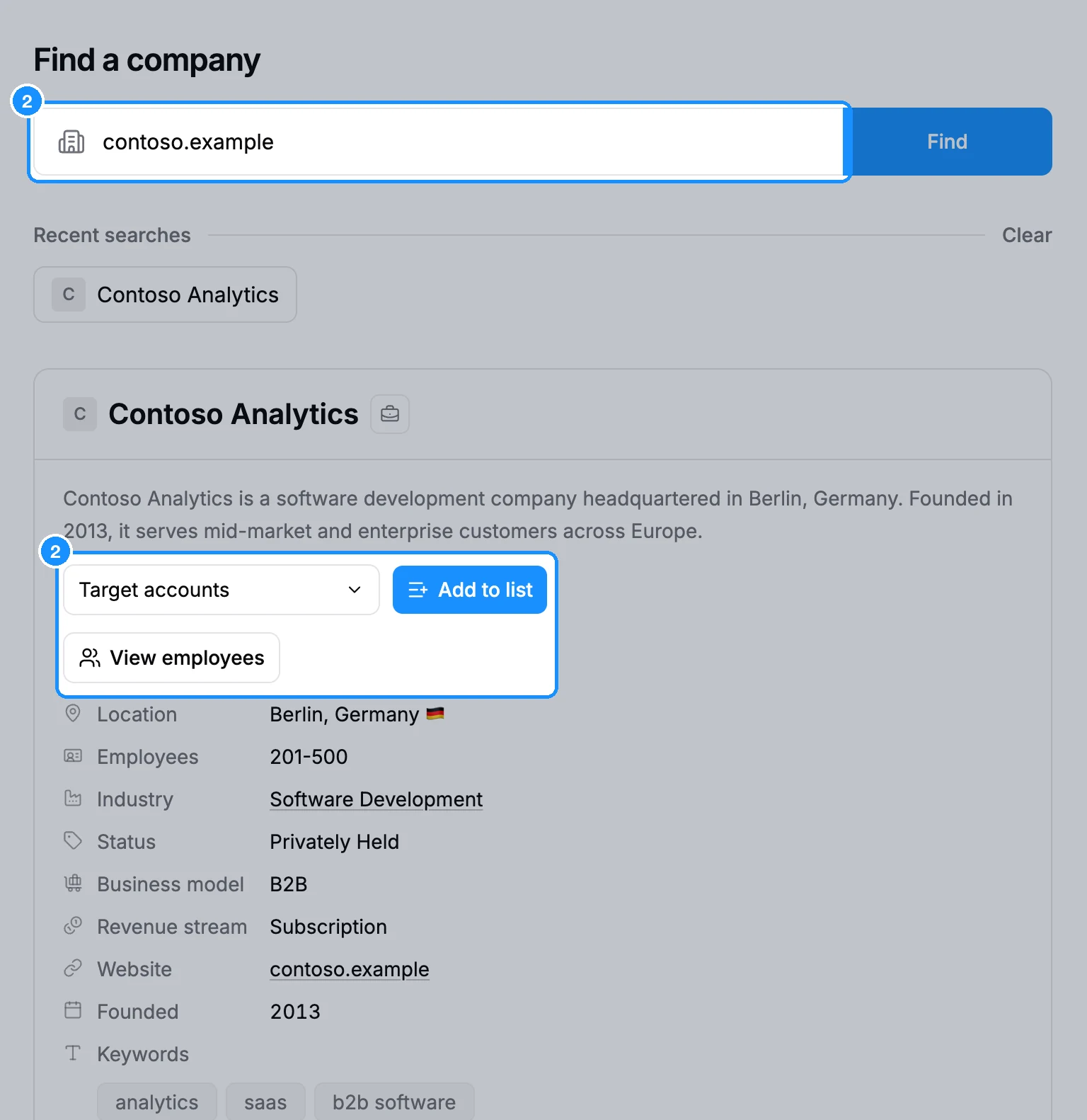
Enter a domain, a company name or a LinkedIn company URL, or pick a suggestion, and click Find.
What you get
- A person result is their full profile: contact details, Reveal mobile, Add to list, and their company with View employees.
- A company result is the company profile with Add to list and View employees, which opens People search filtered to that company.
- No match found means we have no record for what you entered. Check the spelling or try a domain or URL instead.
- Recent searches under the form keeps your last 8 lookups on each tab, in this browser and workspace. Click one to run it again, or Clear to empty the row.
Lookups do not save anyone to a list. Use Add to list on the result for that.
Credit usage
| Find email or LinkedIn URL, email found that you do not own yet | 1 email credit |
| Same lookups, no email found | Free |
| Email lookup | Free |
| Find company, saving a company | Free |
| Reveal mobile on the result | 1 phone credit per number found |
Spending from these tabs shows under Enrichment on the Usage page.
FAQ
I found an email but the person is not in my list. Where did it go?
A lookup only shows the email; to keep the person, click Add to list on the result, free for an email you already revealed (see Reveal or save?).