

Table of content
Go from sign-in to your first file of leads in about five minutes. You search People, save the people you want to a list, then export that list.
Before you begin
- Any member of the workspace can do this.
- Credits: saving a person uses 1 email credit if they have a valid email you do not own yet. Searching is free. Details in "Credit usage".
Steps
Sign in at https://app.getprospect.com and click People in the sidebar.
Add two filters in the filter rail. Open Job Title, type a title such as "VP of Sales" and pick it from the suggestions. Then open Location and pick a country. The results update as you go.
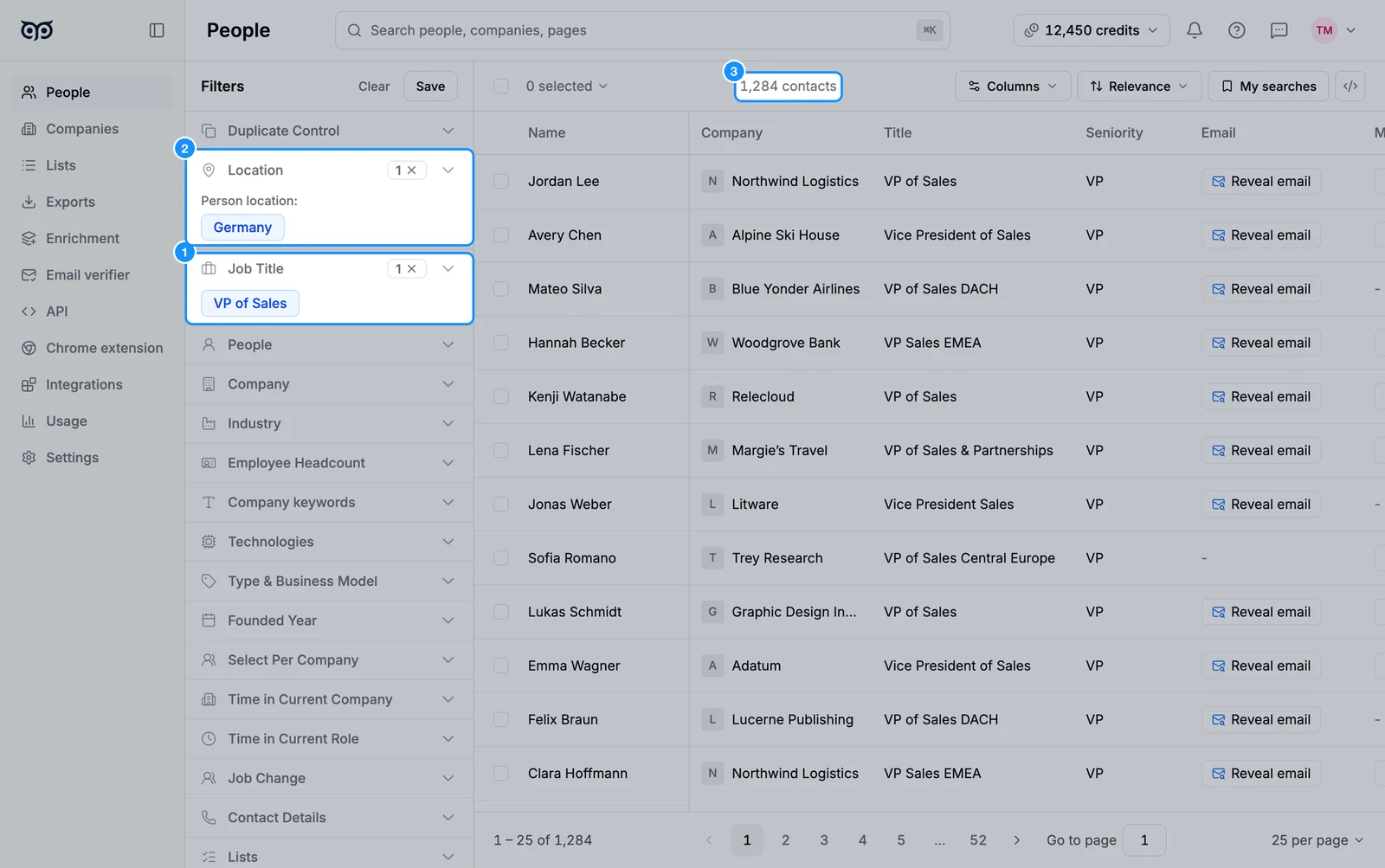
Select people. Tick the checkboxes next to the people you want, or click the checkbox above the table and choose Select this page, Select all people or Select number of people, then Apply.
Click Add to list. Pick a list, or type a new name and click Create list "
" . The popover shows how many email credits the save will use. Click Confirm.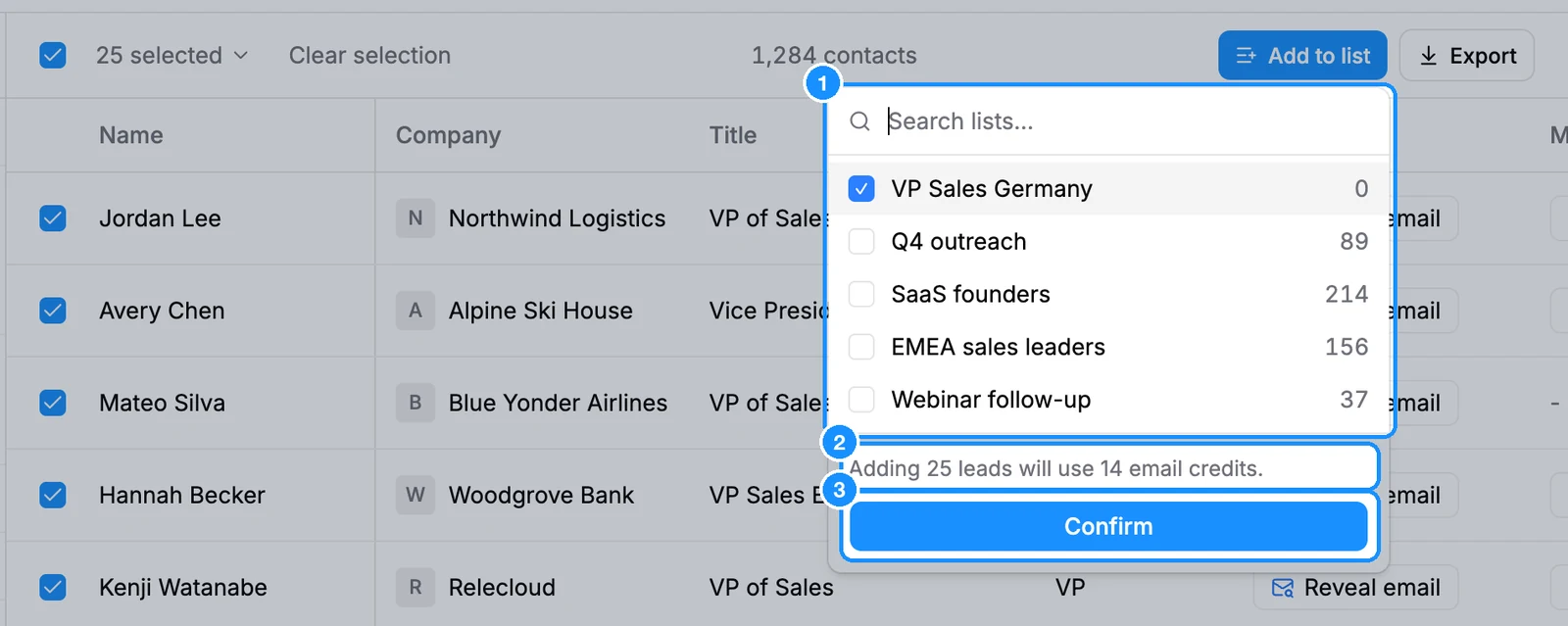
Open the list. Click View list in the message that appears, or click Lists in the sidebar and then the list's name.
Click the Export icon in the list's header. Choose All contacts or Contacts with valid email, tick the columns you want, and pick CSV or Excel (.xlsx) under File format. Click Export N contacts.
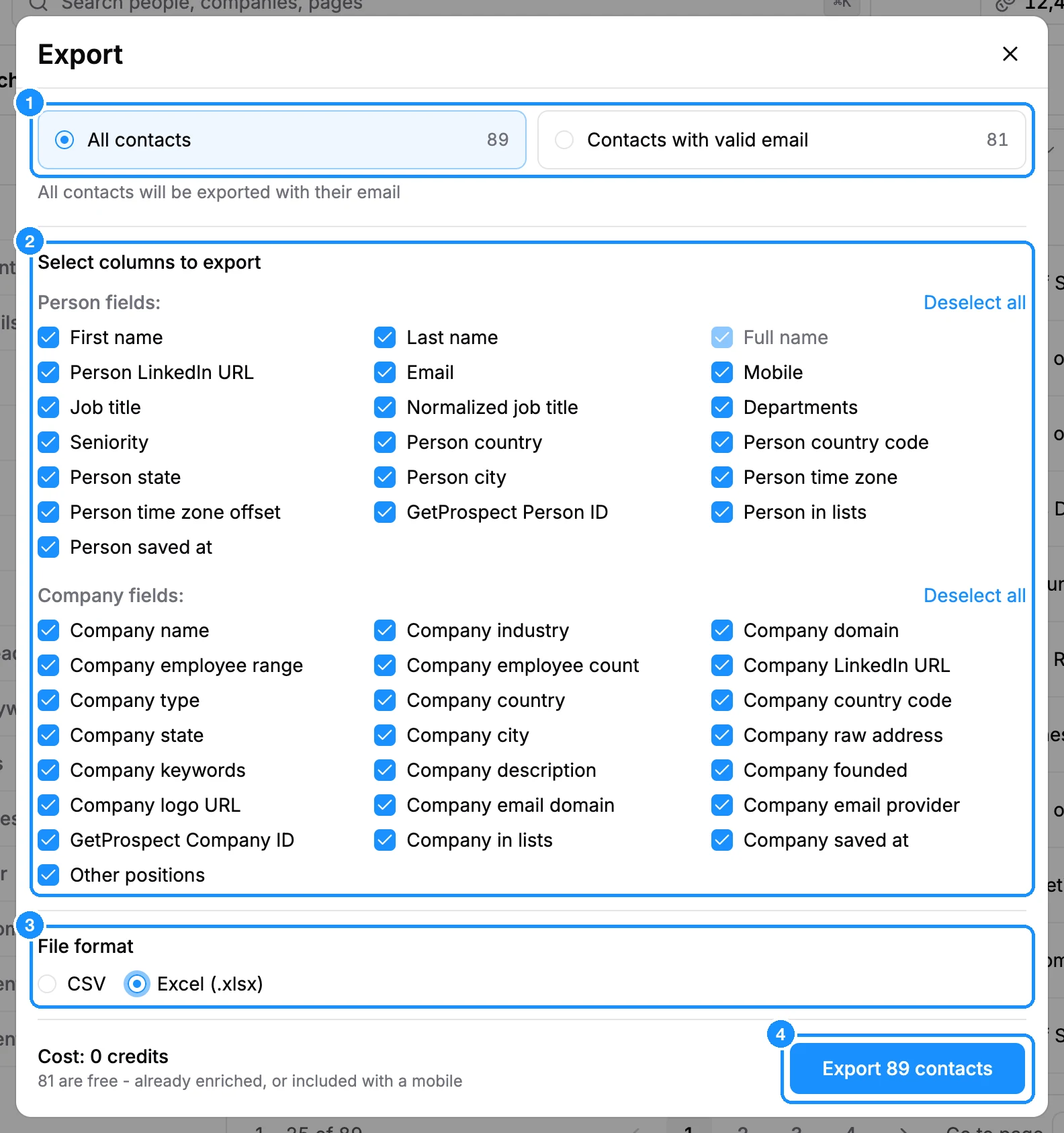
Wait for the file. It builds in the background and downloads itself when ready. You can download it again later from Exports.
What you get
A list in your workspace that your whole team can see, and a CSV or Excel file with the columns you picked. If you connected a CRM, the saved people sync to it automatically.
Credit usage
| Searching, filtering, opening a profile | Free |
| Saving a person whose valid email you do not own yet | 1 email credit |
| Saving a person without an email, or one you already own | Free |
| Exporting people you already saved | Free, you own their emails |
FAQ
Revealing an email did not add the person to my list. Why?
Reveal only shows the email; to keep the person, add them to a list, free for emails you already revealed (see Reveal or save?).
What if I do not have enough email credits?
The Add to list popover says so before you confirm. Select fewer people, or get more credits from Settings > Subscription.