

Table of content
Company search finds companies in the GetProspect database by industry, size, location, technology and more. Open it at Companies. Searching, saving and exporting companies is free.
Before you begin
- Any workspace member can search and save companies.
- Credits: none. Companies cost nothing to search, open, save or export.
Steps
Open Companies in the sidebar.
Pick filters in the rail on the left. To exclude a value, hover its chip and click the exclude icon.
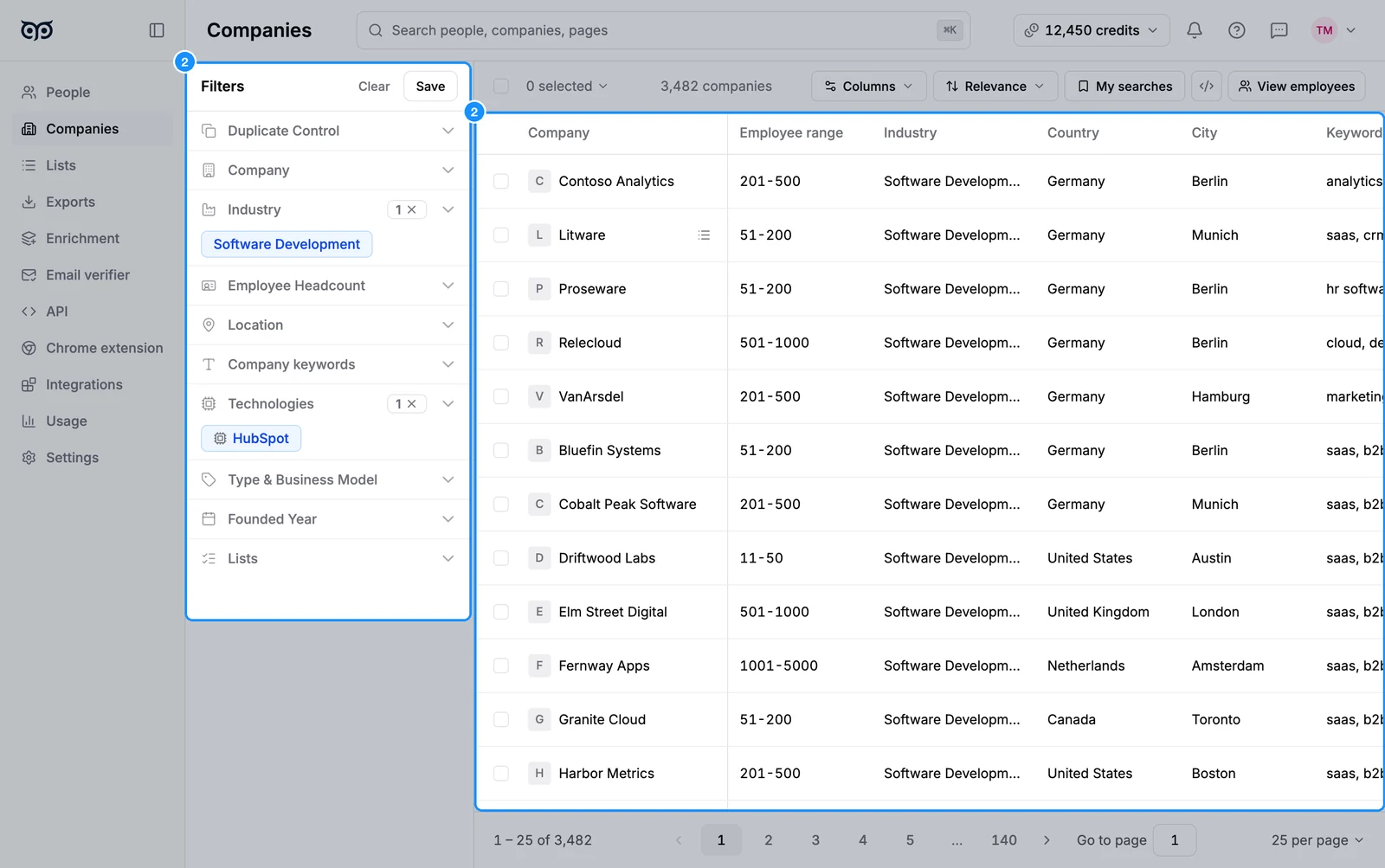
Click a company's name to open its profile panel. It shows Location, Employees, Industry, Status, Business model, Revenue stream, Website, Email domain, Founded, Keywords and Technologies, grouped by category. Click a keyword, technology or industry to apply it as a filter.
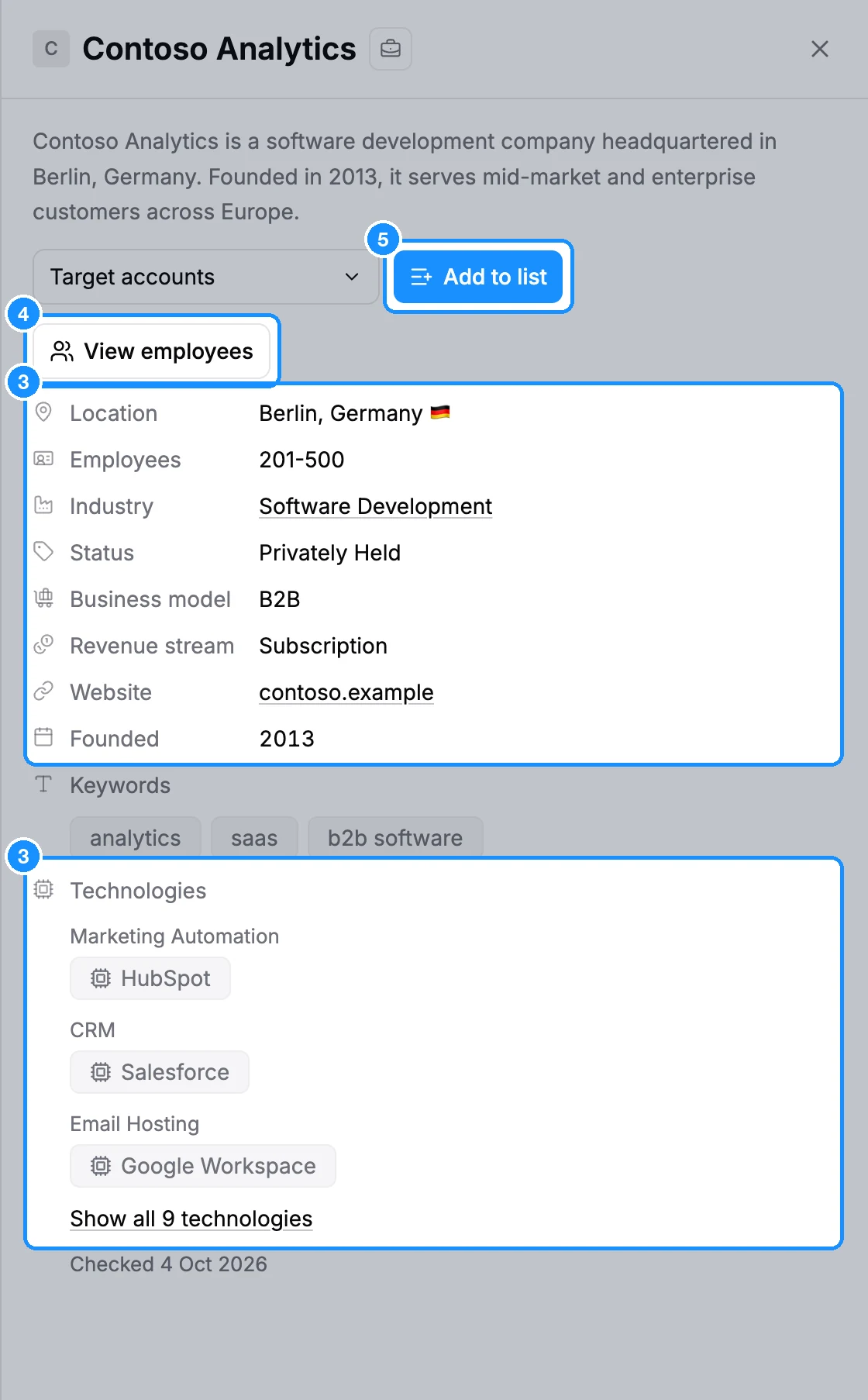
Click View employees to see the people who work there in People search.
To save companies, tick them and click Add to list, or use Add to list in the panel.
Filters
Filters appear in the rail in this order.
| Duplicate Control | Hide already saved companies. On a list: Hide companies already in another list. |
| Company | Name, domain or LinkedIn URL, or Bulk include or exclude companies. |
| Industry | Whole categories or single industries, with Include or Exclude. |
| Employee Headcount | Predefined range or Custom range. |
| Location | Where the company has offices; tick Headquarters only for the head office. |
| Company keywords | Words in Company specialties, Social media description or Website pages. |
| Technologies | Technologies or technology categories the company uses. |
| Type & Business Model | Company Status, How they sell and Revenue stream. |
| Founded Year | A range of founding years. |
| Lists | Saved in any list, or include or exclude specific company lists. |
View employees
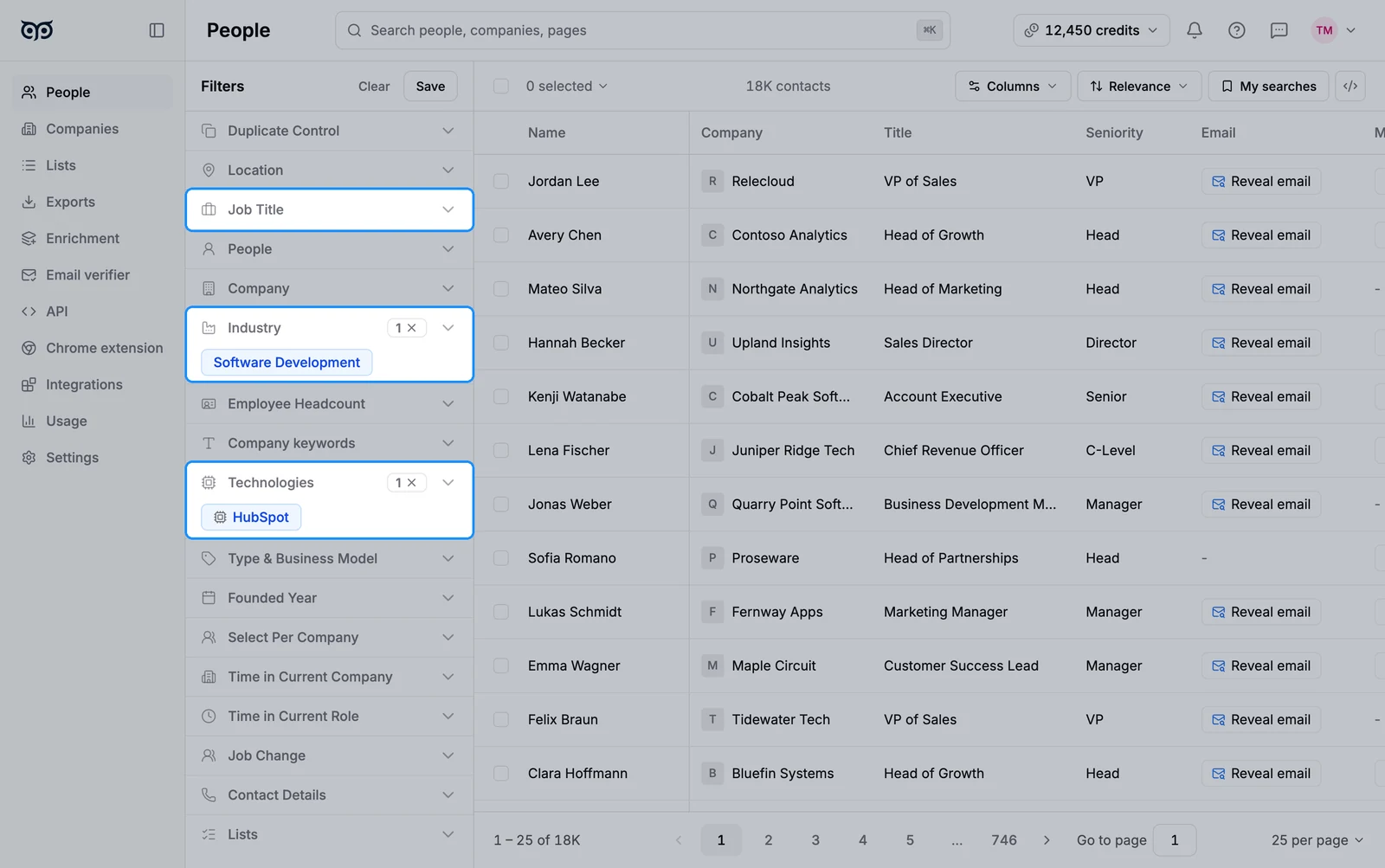
View employees opens People search with your company filters copied in. You then add people filters, such as Job Title or Seniority, on top.
- With nothing selected, the toolbar's View employees uses the whole company search.
- With companies ticked, it uses only those companies, up to 20,000 at once.
- In the company panel, it shows the people at that one company.
What you get
Saved companies go into company lists on the Lists page. People lists and company lists are separate. A selection also offers Export to CSV or Excel.
Credit usage
| Searching, opening a company, View employees | Free |
| Saving companies to a list | Free |
| Exporting companies | Free |
| Revealing emails of the employees | Email credits, as in People search |
FAQ
Can I add a company manually?
No. Every company comes from the GetProspect database. Search for it here, or enrich a file of company names or domains in CSV enrichment.
Is there a monthly limit on saved companies?
No. Saving companies is free and does not depend on your credits.